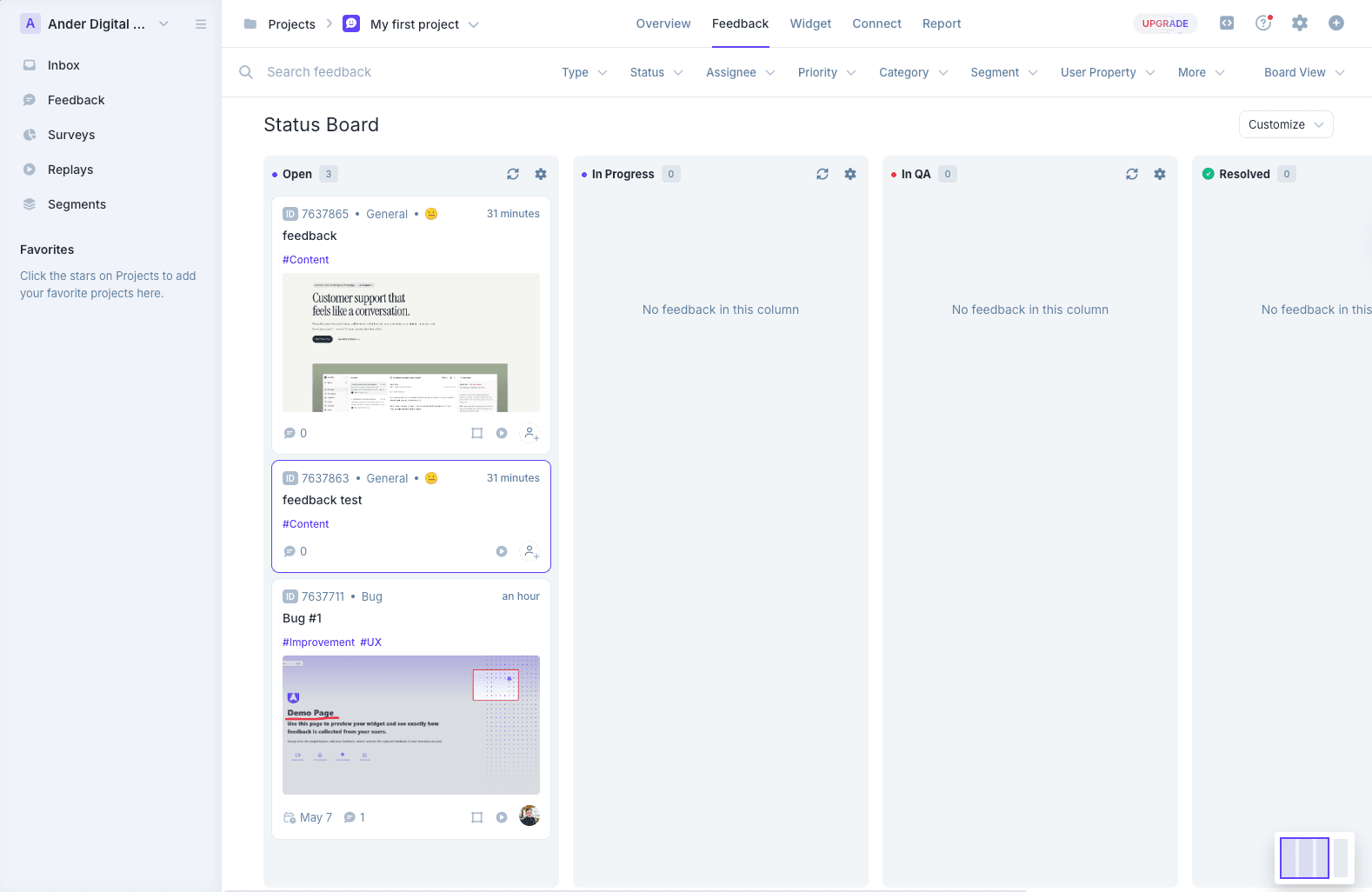
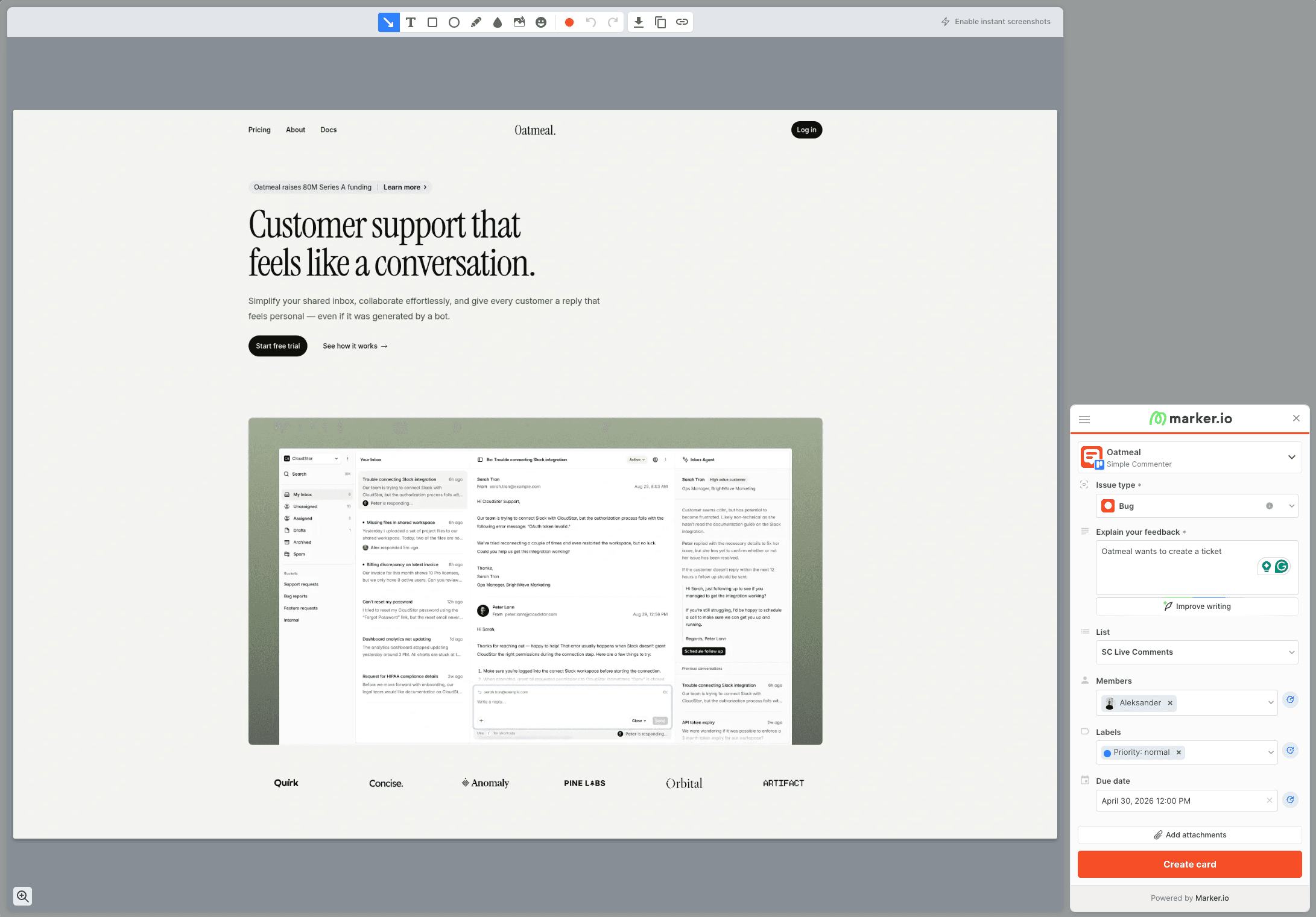
Usersnap vs BugHerd: Which One Fits Your Team? [2026]
Usersnap is a product-discovery platform with surveys; BugHerd is a visual feedback board for websites. How they compare, plus alternatives.

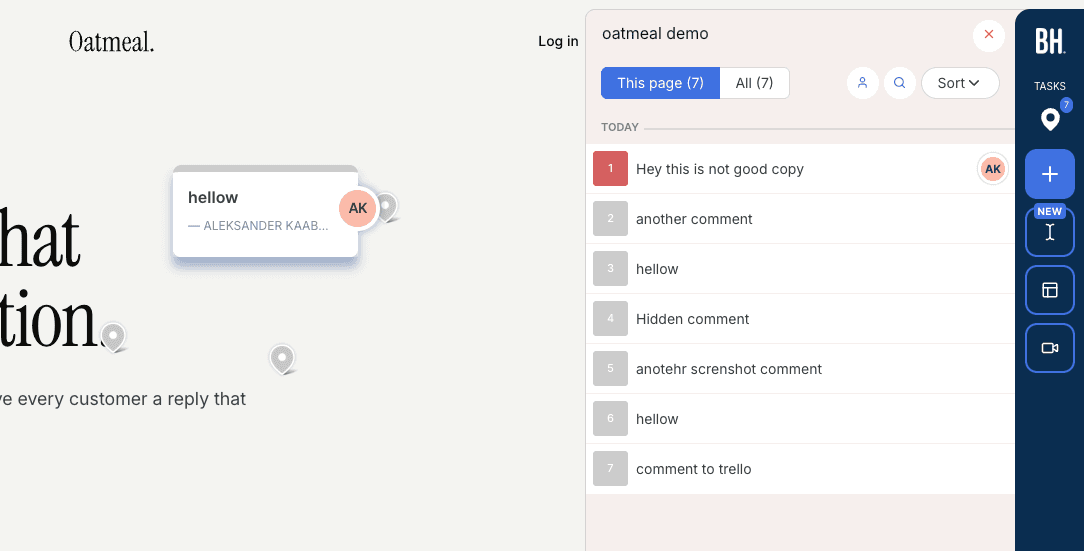
The hands-on observations and screenshots below come from our original evaluation. This update corrects product facts and cited documentation; it does not represent a new product test.
TL;DR#
Usersnap and BugHerd get compared constantly, but in 2026 they solve different problems: BugHerd stayed a visual website feedback tool, while Usersnap has become a product-discovery platform. BugHerd is the pick if you want visual feedback pinned on the live page: reviewers click an element, a screenshot is captured automatically, and the comment lands on a kanban board your team can triage. Usersnap is the pick if you want one platform for bug reports, NPS and CSAT surveys, and a public feature-request board, and you are a product team rather than an agency. If your reviewers are external clients who will not tolerate logins or ticket forms, neither is ideal (see the alternatives at the end).
Usersnap and BugHerd solve two different problems#
Usersnap vs BugHerd is one of the most searched matchups in the website feedback category, and it is also one of the most misleading. The two tools get compared because both started life as "report bugs on a website" products. In 2026 they barely compete anymore.
BugHerd stayed in its lane: visual feedback on websites, pinned to the page, managed on a kanban board. Usersnap went a different direction after its 2023 acquisition by saas.group and rebuilt itself as a product-discovery platform. Bug capture is still in there, but it now sits next to surveys, sentiment analysis, and feature-request boards, and the homepage talks to product managers, not web teams.
That split is the whole comparison. Pick based on which problem you actually have, not on which brand name you heard first.
Quick note on where this comes from: we run Simple Commenter, a feedback tool in the same category, and we have tested, paid for, and reviewed every major tool in this space for our guide to the 13 best website feedback tools. The BugHerd assessment below is based on that hands-on testing. The Usersnap assessment is based on their live pricing page, documentation, and the public review record as of July 2026, with every price pulled directly from usersnap.com rather than recycled from stale third-party lists (many of which still show a pricing model Usersnap retired).
One more disambiguation before we start: Usersnap is not Userback. They are two different products with confusingly similar names, and half the comparison traffic on the internet mixes them up.
Usersnap review#
Built for: In-house product teams · SaaS teams · Support teams
Best for: Product teams that want bug capture, user surveys, and a feature-request board in one platform. A weak fit for agencies running client review rounds.
Usersnap installs via a JavaScript snippet, Google Tag Manager, an npm package, or Chrome and Firefox extensions. There is also a WordPress plugin, but it is a script installer only: it injects the snippet using an API key from your Usersnap account, has around 500 active installs, and at the time of writing was last updated in June 2024 and flagged as untested with recent WordPress releases. If a real WordPress workflow matters to you, this is not it.
The core capture flow is screenshot-to-ticket. A user opens the widget, takes a screenshot (or a screen recording of up to three minutes, with audio), annotates it, and submits. The report lands in Usersnap's dashboard with browser, OS, and URL metadata attached, and console logs on the Professional plan and above. People submitting feedback do not need a Usersnap account, which is genuinely good, and better than BugHerd's model for anonymous reporters.
What Usersnap does not do is on-page collaboration. Feedback is not pinned to the live page where the next reviewer can see it. There is no shared comment layer, no threads anchored to a button. Every report is a ticket in a queue, so when three stakeholders spot the same broken link, you get three tickets. For a support inbox that is fine. For a design review round it is the wrong shape.
The bigger story is the pivot. Since the saas.group acquisition in 2023, Usersnap has repositioned from bug tracking to "voice of customer" and product discovery. The current product stacks NPS, CSAT, and poll surveys, a public feature-request board with upvotes, a changelog widget, and an AI layer ("AI Sidekick") that categorizes feedback, scores sentiment, and suggests replies. If you are a product manager consolidating user evidence, that breadth is the pitch. If you just want website feedback, you are paying for a lot of platform you will not open.
Pricing reflects the platform ambition. Starter is $49/mo billed annually ($59 monthly) for 5 seats, 5 projects, and a hard cap of 500 stored feedback items. Growth at $109/mo adds AI features. The plan most teams actually need is Professional at $189/mo, because that is where console log capture, the feature-request portal, and the only two-way integrations (Jira, Azure DevOps, Linear) unlock. White-labeling and the mobile SDK start at Premium, from $369/mo, and SSO is Enterprise-only. The trial gives you Premium features with no credit card, with the first 20 feedback items free; there is no permanent free tier.
Two structural positives deserve a mention: Usersnap is an Austrian company (founded 2013, Linz), and all customer data is hosted on AWS in Frankfurt with a GDPR-ready DPA. For European teams with a compliance checklist, that is a real advantage over most US-hosted rivals.
Key features:
- Screenshot capture with annotation, plus screen recording up to 3 minutes with audio
- Console log and JavaScript error capture (Professional and above)
- NPS, CSAT, and poll surveys with conditional logic
- Public feature-request board with upvotes and a changelog widget
- AI categorization, sentiment analysis, and suggested replies (Growth and above)
- 50+ native integrations; two-way sync for Jira, Azure DevOps, and Linear (Professional and above)
- JS snippet, GTM, npm, and Chrome/Firefox extension installs; script-installer WordPress plugin
- EU data hosting (AWS Frankfurt) with GDPR-ready DPA
Pricing:
- Starter $49/mo billed annually, $59/mo monthly (5 seats, 5 projects, 500 feedback items)
- Growth $109/mo billed annually, $129/mo monthly (10 seats, 15 projects, AI features)
- Professional $189/mo billed annually, $229/mo monthly (20 seats, console logs, two-way sync, feature-request portal)
- Premium from $369/mo billed annually, from $449/mo monthly (50 seats, white-label, mobile SDK)
- Enterprise custom (unlimited seats, SSO)
- Trial with Premium features, no credit card, first 20 feedback items free; no permanent free tier
Pros:
- End users can submit feedback without a Usersnap account
- Strong capture package: annotated screenshots, screen recording with audio, console logs
- Surveys, feature-request board, and changelog in the same platform, so product teams can consolidate tools
- Two-way sync with Jira, Azure DevOps, and Linear on Professional and above
- EU hosting and GDPR posture that European compliance teams will like
- Well reviewed: roughly 4.5/5 on G2 and 4.8/5 on Capterra, with support quality a recurring theme
Cons:
- No on-page feedback layer: reports are tickets in a dashboard, so reviewers cannot see what others already flagged and duplicates pile up
- Priced for product orgs, not small teams: the features most teams want sit on the $189/mo Professional tier
- White-label starts at $369/mo and SSO is Enterprise-only
- Starter tier caps stored feedback at 500 items
- WordPress plugin is a barely maintained script installer
- Reviewers consistently flag the dashboard as cluttered and the widget as hard to customize
- Survey and VoC features are dead weight if all you need is website feedback
Reviews:
Usersnap holds roughly 4.5/5 across ~90 reviews on G2 and 4.8/5 from 48 reviews on Capterra. The praise is consistent: setup is easy, the Jira, Slack, and Zendesk integrations work well, and support is fast and personal. The complaints are just as consistent: it is expensive for small teams, project and feature limits on the lower tiers force upgrades, the dashboard takes effort to navigate, and API access is effectively reserved for the top plans. Notably, almost nobody complains about the capture quality itself. The product does what it says; the friction is in the packaging and the price.
BugHerd review#
Built for: QA teams · In-house product teams
Best for: Teams that want a kanban-style feedback board with automatic screenshots and strong two-way integrations.
BugHerd installs via a script snippet, Chrome extension, or WordPress plugin (the plugin is a script installer, same caveat as Usersnap's). Onboarding is smooth and does not ask you to configure access rules upfront. If you open a project from the app, you are automatically logged in to the widget with no separate login step.
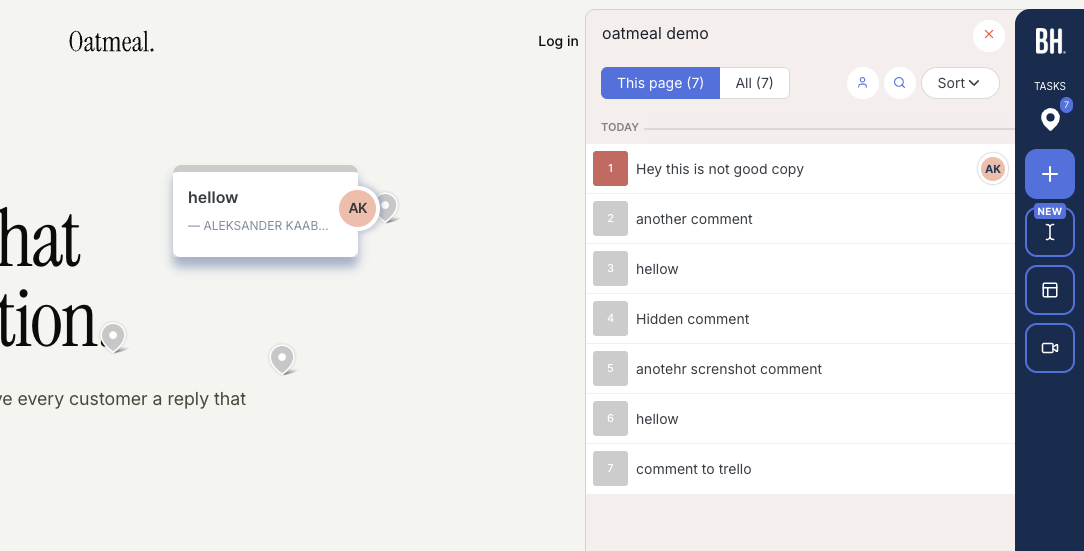
The interaction model is where BugHerd and Usersnap diverge completely. BugHerd feedback lives on the page: reviewers click the element they are commenting on, the comment is pinned there, and an automatic screenshot plus technical details (browser, screen size, OS) is attached. Other reviewers visiting the page see the existing pins, which is exactly what prevents the duplicate-report problem that ticket-queue tools suffer from. The dashboard side is a kanban board, so comments double as trackable tasks you can assign. Two-way syncs are available for Jira, Asana, Linear, ClickUp, and Monday on Premium and above.
The screenshot capture deserves specific praise. Automatic screenshots cannot be done natively in the browser, so getting them right is harder than it looks, and BugHerd has nailed it. If a client leaves a comment inside an open dropdown, the screenshot captures the dropdown in its open state. In our testing across the category, very few tools get this right.
One important limitation: BugHerd has a "public feedback" option, but it is meant for anonymous site visitors, not your clients or team. For clients and internal reviewers to leave named, trackable feedback, they need to log in through BugHerd's hub first. You cannot just send someone a staging link and have them start commenting. For agencies whose clients disengage at the first login wall, that is a real problem. The widget is also heavily BugHerd-branded until you reach the $150/mo Premium tier.
Pricing is per-seat and compounds fast: Standard is $50/mo for 5 members ($8 per additional member), Studio $80/mo for 10 (adds video feedback), Premium $150/mo for 25 (premium integrations, custom branding), and Deluxe $250/mo for 50. If your reviewer pool is large or rotates, do the math at your real team size before committing. If the bill is the thing pushing you away, we keep a full list of BugHerd alternatives.
Key features:
- Automatic screenshot and technical metadata on every comment
- Comments pinned on the live page, visible to other reviewers in real time
- Kanban-style feedback board with task assignment
- Two-way integrations (Jira, Asana, Linear, ClickUp, Monday) on Premium and above
- Script, Chrome extension, and WordPress plugin installation
Pricing:
- Standard $50/mo (5 members, $8 per additional)
- Studio $80/mo (10 members, adds video feedback)
- Premium $150/mo (25 members, premium integrations, custom branding)
- Deluxe $250/mo (50 members, 150 GB storage)
- Custom plan available with dedicated success manager and SLA
Pros:
- Automatic screenshots with every comment, no extra steps, and they capture open dropdowns correctly
- On-page pins mean reviewers see existing feedback, so duplicates rarely happen
- Kanban board makes it easy to track and assign feedback
- Strong two-way integrations with major project management tools
- Smooth onboarding, quick to get started
Cons:
- Clients and reviewers must log in through BugHerd's hub before they can leave named feedback on your site
- Heavily branded widget, no white-labeling until Premium at $150/mo
- Per-seat pricing adds up quickly for larger teams
- Stays focused on website feedback: no surveys, feature boards, or VoC features if you wanted the platform breadth
Reviews:
BugHerd has 179 reviews on G2 with an average rating of 4.7/5. Users consistently praise how easy it is to use and call out the automatic screenshots and technical details as the standout features. The kanban board and team assignment come up repeatedly as reasons teams stay. The recurring criticisms match what we found in testing: per-seat pricing gets expensive as teams grow, and clients need a small amount of hand-holding when first getting started because of the hub login.
Usersnap or BugHerd: how to decide#
Strip away the marketing and the decision comes down to three questions.
What shape is your feedback? If it is a conversation about a page ("move this button", "this headline is too long"), BugHerd's on-page pins and shared visibility are the right model. If it is a stream of bug reports and user sentiment flowing into a product backlog, Usersnap's ticket queue, surveys, and AI categorization fit better.
Who is leaving it? Anonymous end users can submit to either without an account. Named reviewers are the difference: BugHerd requires a hub login, and Usersnap has no on-page layer for them at all. Neither is friction-free for external clients.
What does it cost at your real size? BugHerd starts cheaper ($50/mo) but scales per-seat. Usersnap starts higher and the plan most teams actually need is $189/mo Professional, but the seat counts are bundled. A 20-person reviewer pool is roughly $170/mo on BugHerd Standard with add-on seats versus $189/mo on Usersnap Professional; below 10 people, BugHerd is clearly cheaper.
If you got to this paragraph and realized your actual problem is "my clients will not log into anything," keep reading.
3 alternatives worth shortlisting#
Both tools share one blind spot: the experience of the person leaving feedback. Usersnap routes them through a ticket form, BugHerd routes them through a hub login. These three alternatives attack that gap from different angles. For the full field, see our 13 best website feedback tools guide.
1. Simple Commenter#
Best for: Teams that want clients to discuss feedback on the live page and organize the resulting work.
Clients can leave feedback without creating an account, while the team manages comments, replies, statuses, and boards. An optional client portal adds an ongoing review workspace. For a site behind authentication, reviewers still need access to the site itself.
The WordPress plugin lets the team manage feedback inside WP admin. Integrations connect the review workflow to existing tools, and the AI and MCP connection lets an agent read feedback and prepare a handoff. A coding agent needs repository access to propose a fix; review and test its changes before publishing.
See current plans and prices for the selected currency and billing period. Pro has included team seats with paid extras; Agency includes unlimited team members and white-label features. Clients do not need paid seats. SAML SSO is an optional paid Agency add-on or part of a tailored Enterprise agreement. A 14-day trial is available without a credit card.

2. Feedbucket#
Best for: Teams that want feedback to flow straight into a project management tool, with no client signup.
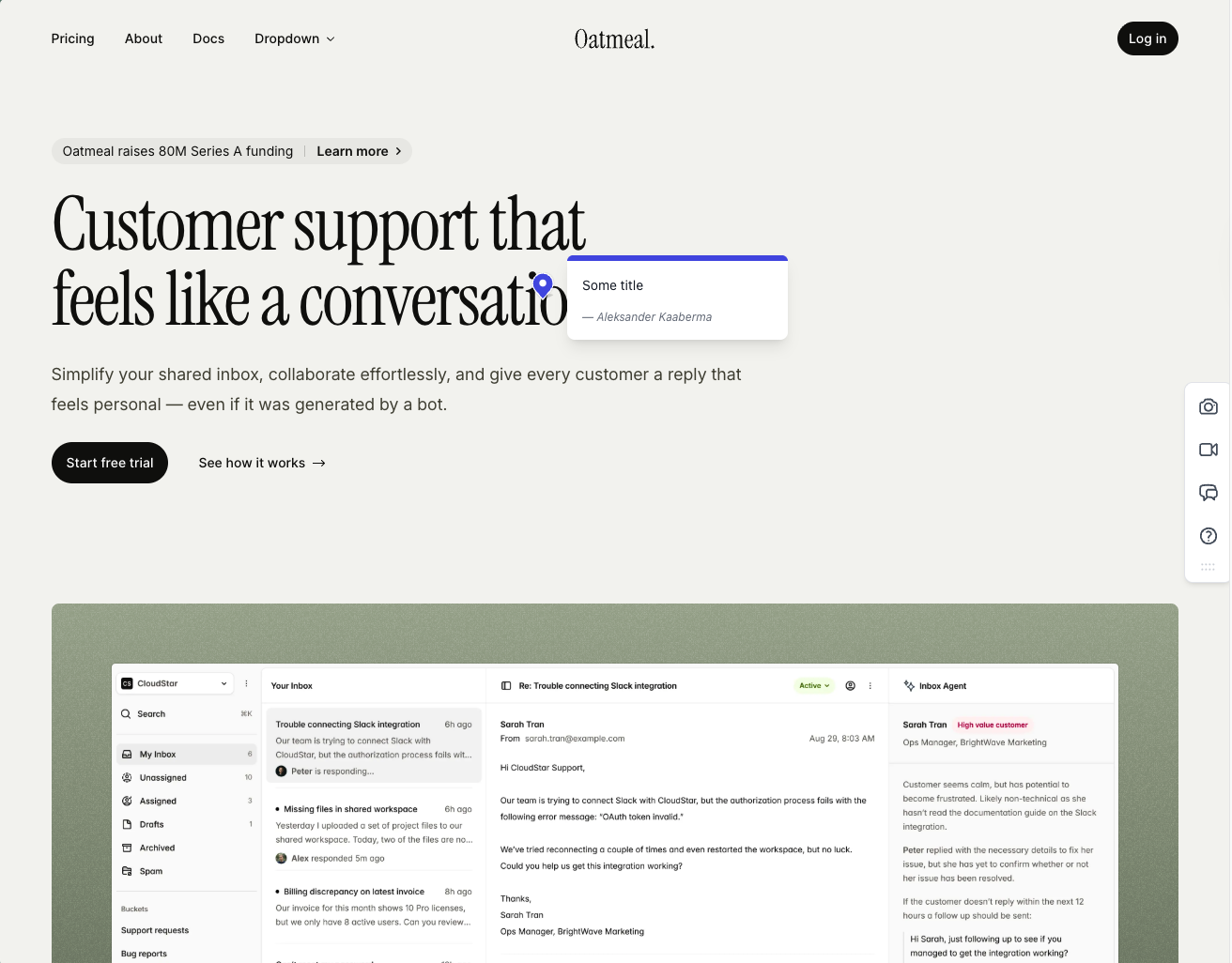
Feedbucket is one of the better tools we tested for our main guide. Clients open the link and start commenting, no signup. Every comment comes with an automatic screenshot pinned exactly where it was placed, and the whole thing lands in your PM tool with the pin location intact. The integration pool covers pretty much every project management tool you would want, and video feedback and screen recording ship on every plan.
The trade-off is that the native dashboard is thin: filters by tag and page, but no kanban board or priority ordering, because Feedbucket is built to be the layer between your site and your PM tool rather than a standalone home for triage. If you liked BugHerd's board or Usersnap's dashboard, that is the gap. Pro is $39/mo for 5 team members with unlimited reporters, and the 14-day trial needs no credit card. Developed in the EU.
3. Marker.io#
Best for: Teams that need screenshot reports and debugging context in an existing issue tracker.
Marker.io combines screenshots and browser details with developer tools on eligible plans. Check your required tracker integration, console capture, network requests, and session replay in the plan you intend to buy.
Marker.io supports different reviewer roles. Its role documentation allows account-free reports through an open widget. Reporters can follow up on their own reports; shared dashboard access and visibility of other reports depend on guest or team permissions. Agencies should compare the dedicated Agency offer with their required projects and collaborators.
Starter is $39/month billed annually or $59 monthly; Team is $149/month billed annually or $199 monthly. The pricing page also lists an Agency offer and a 15-day trial without a credit card. Compare the actual review task in Marker.io vs BugHerd.
Found this useful? Add us as a preferred source and Google will show you more of our guides in Search and AI Overviews.