5 Best BugSmash Alternatives in 2026
BugSmash reviews websites, files, video and Figma frames on a hosted canvas, but commenters needed an account in our test. Five alternatives worth a look.


Our verdicts come from testing each tool ourselves earlier in 2026. For this update on 29 October 2026 we checked prices and plans on each vendor's site again, which is not the same as a new product test.
If BugSmash isn't working out, Pastel is the established canvas tool to move to, Huddlekit the newer canvas with a four-screen view, and Feedbucket the way off canvases and onto your live site. MarkUp.io suits large teams that want unlimited users on one plan.
BugSmash launched in 2025 as a hosted review tool with unusually wide coverage, including websites, PDFs, images, video, audio, mobile app screens and a Figma plugin. Pricing is low. There's a free plan, Starter at $19 a month billed yearly, and Team at $49 (BugSmash pricing, as of 2026-10-29). One older complaint no longer holds, since integrations with Jira, Trello, ClickUp, Linear, Asana and others now come with Starter.
Three things still make teams look elsewhere.
- It's new. It launched in 2025, so subscriber reviews on G2 and Capterra are thin and some features trail the older canvas and script tools.
- Comments sit on a snapshot. Reviewers comment on a BugSmash-hosted copy, not the live site, so pages behind Basic Auth, modals and dropdowns mid-interaction, and anything behind a login are out of reach.
- Commenters need an account. The review link can be public, but leaving a comment required a signup in our test, which stops the client who only wants to leave one quick note.
Two strengths are worth keeping when you switch.
- Hosted review is easy. Paste a URL and you have a review page. Some picks below add a script that runs on the live site, for the cases where a snapshot falls short.
- Files sit next to websites. Commenting on PDFs and images beside web pages is part of BugSmash's appeal, and most picks here keep that, so you don't need a second tool.
If you want a longer track record, review work on live or logged-in sites, or clients who comment without an account, these five are worth a look first. Ruttl appears at the end only as a warning.
Simple Commenter#
Built for: Agencies · Freelancers · QA teams · SaaS teams
Best for: BugSmash users whose clients balk at signing up, and whose reviews happen on live, staging or logged-in sites rather than on hosted snapshots.
Full disclosure, we make Simple Commenter. If you're weighing it against BugSmash, three things are different.
Clients comment without an account. Your client opens the site, clicks the element they mean, types and posts. There's no signup screen, no extension and no tutorial, and the comment is simply signed Client. When a project needs names, switch it to invite-only or let clients request access with the reviewer access mode.
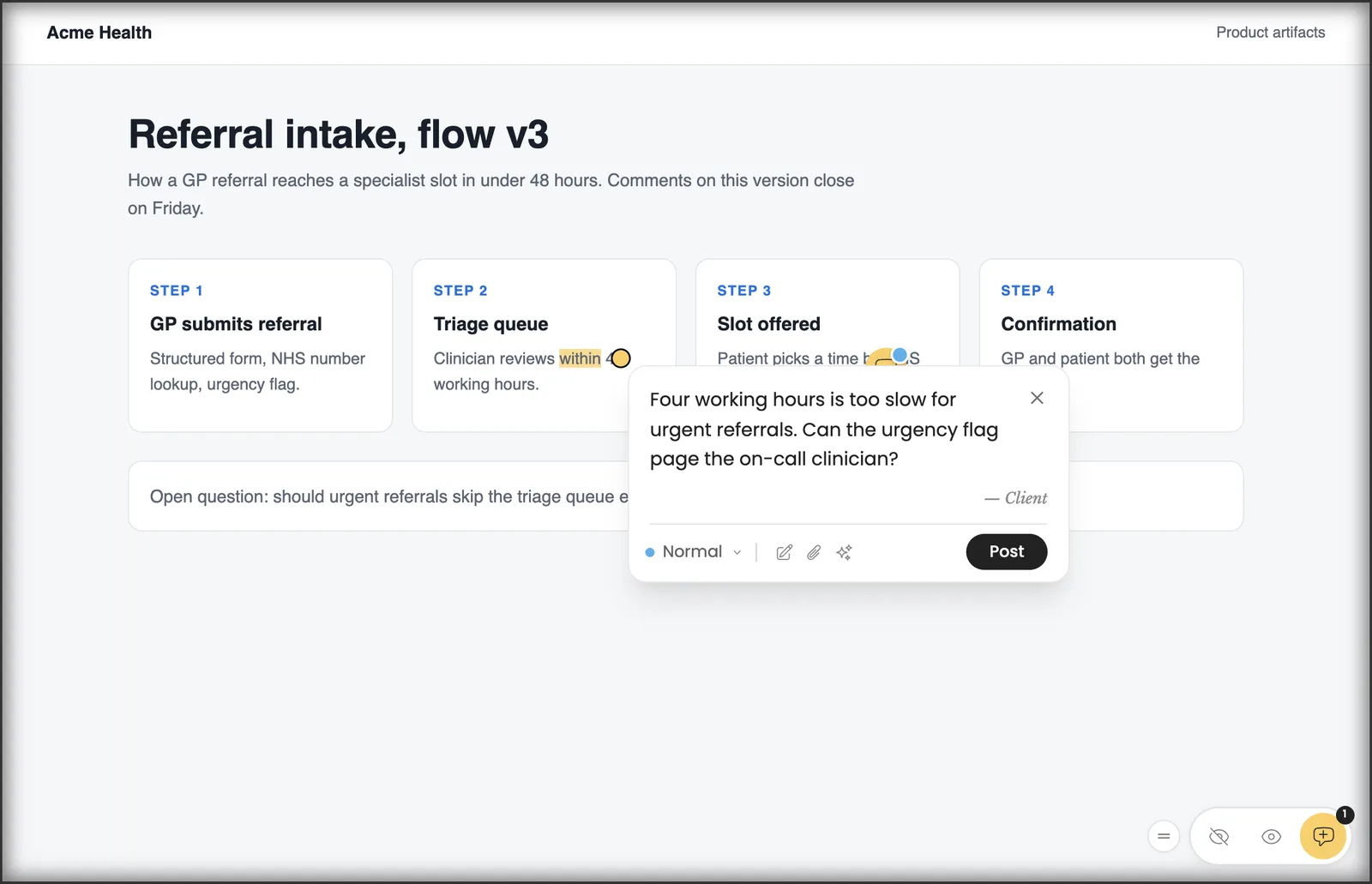
Comments land on the live page, not a copy. The widget runs on the real site through a script tag, the WordPress plugin or the Chrome extension. Modals, dropdowns, staging builds and logged-in screens can be reviewed as long as the reviewer can open them, which is exactly where snapshots break.
You keep image and PDF review. Upload PNG, JPG, GIF, WebP, SVG or PDF files and clients comment on them in the same project as the website.
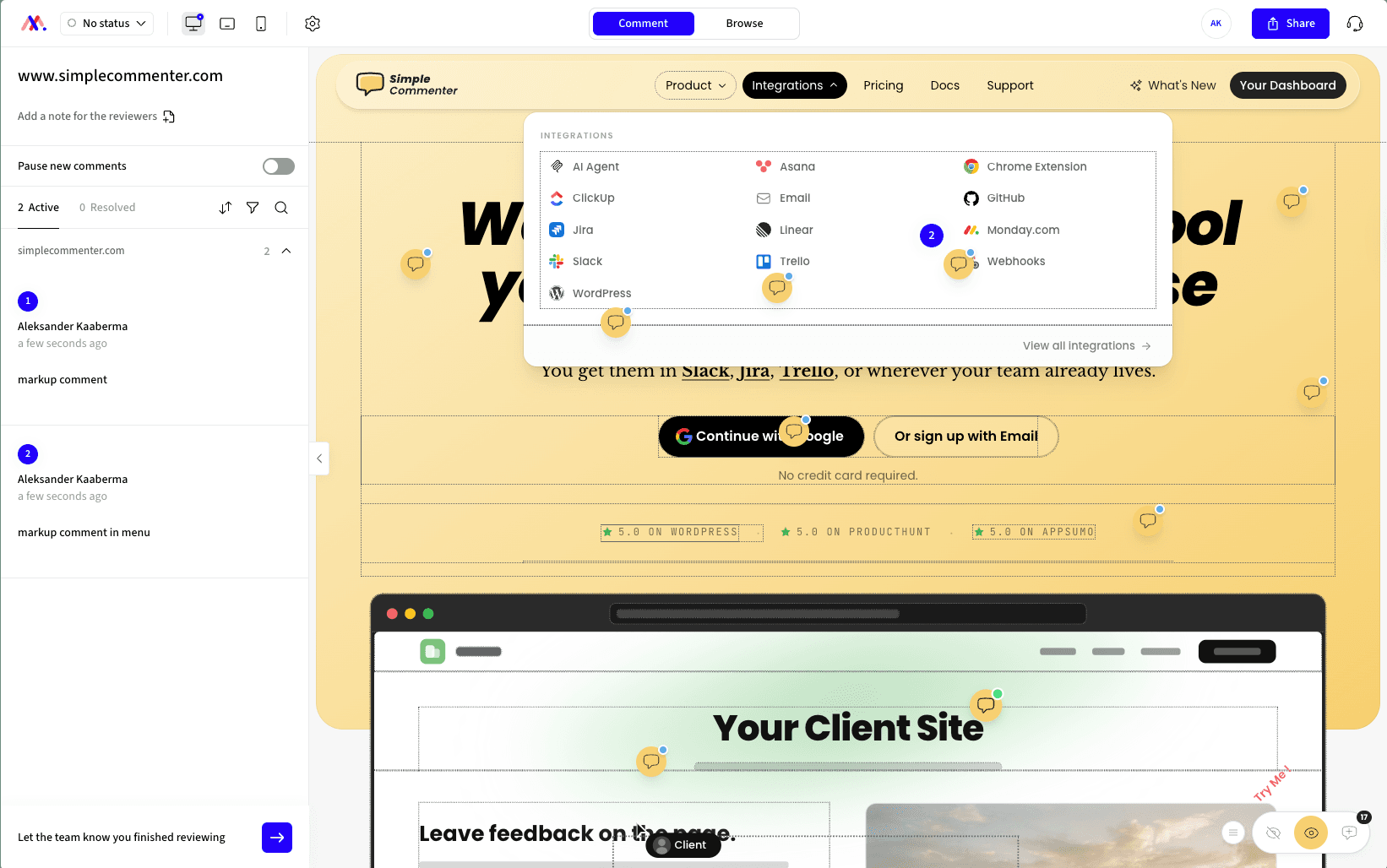
Your team works the feedback in a dashboard with statuses and a board, sends it on to Asana, ClickUp, GitHub, Jira, Linear, Monday.com, Slack, Trello, email or webhooks, and lets AI agents read and reply through the MCP server. The WordPress plugin handles comments, replies, members and settings inside WP admin.
BugSmash is ahead in a few places. It handles video, audio and mobile app screens, and its Figma plugin imports frames directly, where here you export a design and upload it as an image. Its free plan keeps going, while this widget needs a paid plan after the 14-day trial. Starter is cheaper too, $19 a month billed yearly against Pro at $34.99 a month, though Starter covers 2 users and Pro covers 3. And BugSmash's hosted review needs nothing installed on your site.
Key features:
- No-account commenting for clients, right on the live page
- Works on staging and behind logins the reviewer can access
- Script tag, WordPress plugin or Chrome extension install
- Statuses, a board view and a shared team dashboard
- Image and PDF review in the same project as the website
- Ten integrations, including Jira, Linear and webhooks
- Per-project reviewer access, anonymous or by invitation
- Comments in any language, translated by AI
Pricing:
- Pro $34.99/month or $349.99/year, 3 team members, 10 active projects
- Agency $79/month or $790/year, unlimited members and projects, white-label
- In euros, €29.99 and €69 a month, with clients free on every plan
- 14-day free trial without a card, 14-day money-back guarantee
- Full details on the current plans and prices page
Pros:
- Clients never hit a signup wall
- Reviews happen on the real page, modals and logged-in views included
- Image and PDF feedback stays in the same tool
- Three team members on Pro, against two on BugSmash Starter
- Full comment management inside WordPress
Cons:
- No Figma plugin, and no video, audio or app screen review like BugSmash's
- No free plan for ongoing use
- Needs an install on the site, unlike BugSmash's hosted links
- Pro allows 10 active projects, where BugSmash Starter allows 30
Reviews:
The review that maps best onto this switch is Muhammad A's on Product Hunt. He liked that it needs no browser extension and that a client-specific access link means his clients don't sign up. Alex Siderius, also on Product Hunt, wrote that clients mark up the live site or PDFs directly instead of sending long email threads. Several AppSumo reviews make the same two points, clients who comment without any training and quick fixes from support. Compare the current plans against BugSmash Starter before you decide.
Pastel#
Built for: Freelancers
Best for: BugSmash users who like canvases but want a tool with close to a decade of history, for static design files and simple pages.
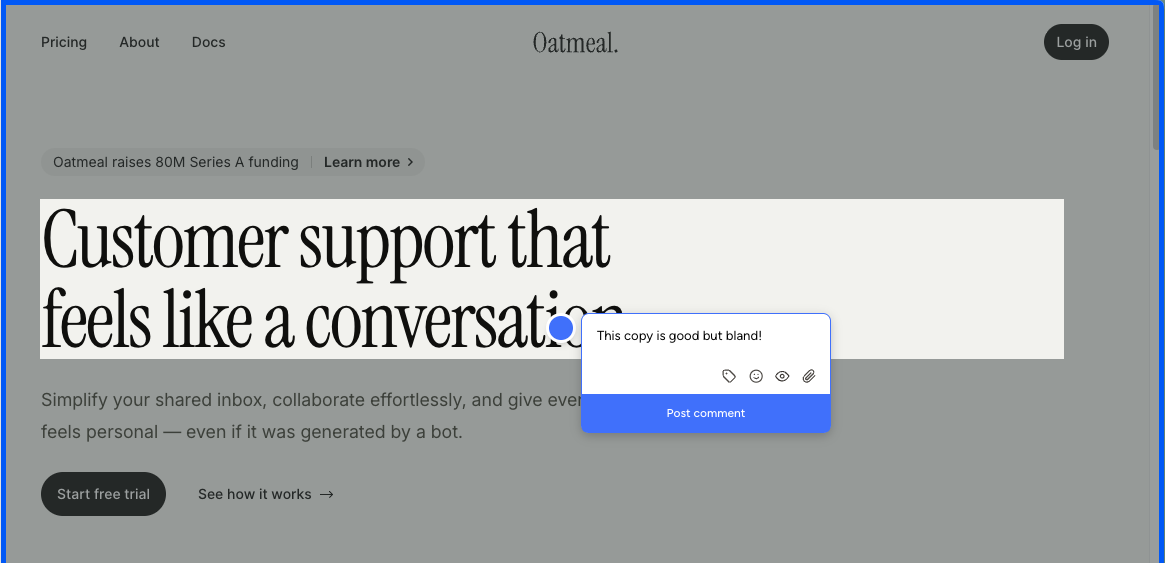
Pastel is the established version of what BugSmash does. Pastel launched in 2016, and that maturity shows in a polished canvas that takes comments on websites, images and PDFs.
It works the same way. A script tag or the Chrome extension creates a canvas, a Pastel-hosted snapshot of your page, and reviewers comment there. The extension creates canvases rather than making the live page commentable. Mobile review is emulated, so real-phone bugs like touch handling and jumping modals can slip by.
Guests don't need accounts, which fixes BugSmash's signup wall for clients. Pastel Free gives you 1 active canvas, though, and each free canvas takes comments for only 3 days before going read-only.
Coverage and price go the other way. Pastel covers fewer file types than BugSmash, has no Figma plugin, and keeps integrations for Team at $119 a month, where BugSmash includes them on its $19 Starter. Pro is $35 a month for 2 users and 3 active canvases (Pastel plans, as of 2026-10-29).
Key features:
- Hosted canvases for sites, images and PDFs
- Script tag or Chrome extension to create canvases
- Unlimited guests on all plans
- Attachments, mentions, labels and private comments
- Deadlines, reminders and approvals
Pricing:
- Free, 1 user, 1 active canvas, a 3-day comment window per canvas
- Pro $35/month ($29 yearly), 2 users, 3 active canvases
- Team $119/month, 5 users then $24 each, unlimited canvases, integrations
- Enterprise $450/month, 10 users and up, SAML SSO
- 14 days free on paid plans, no card
Pros:
- Mature, with a track record since 2016
- Guests comment without signing up
- Image and PDF feedback
- Quick setup
Cons:
- Hosted snapshots only, just like BugSmash
- Emulated mobile
- Free canvases close after 3 days
- No integrations below $119
- Pro's 3 active canvases fill up fast
- Fewer file types than BugSmash, and no Figma plugin
Reviews:
Reviewers like the fast setup and the simple canvas idea, and once inside, commenting works well. The friction appears around it. Clients don't always want to open a separate tool, free-plan reviewers who miss the 3-day window need a new link, and phone testing runs in an emulator. That's fine for solo designers on static work, but it adds up for teams reviewing live sites.
Huddlekit#
Built for: Agencies · Freelancers
Best for: BugSmash users who want another young, fast-moving canvas tool, with all four screen sizes visible at once and a script install in beta.
Huddlekit is BugSmash's closest peer. Huddlekit also launched in 2025 and ships quickly. Setup was smooth for us and bugs were rare.
Its signature is the four-screen canvas, with mobile, tablet, laptop and desktop renders side by side. BugSmash has device toggles, but seeing all four at once is quicker for responsive checks.
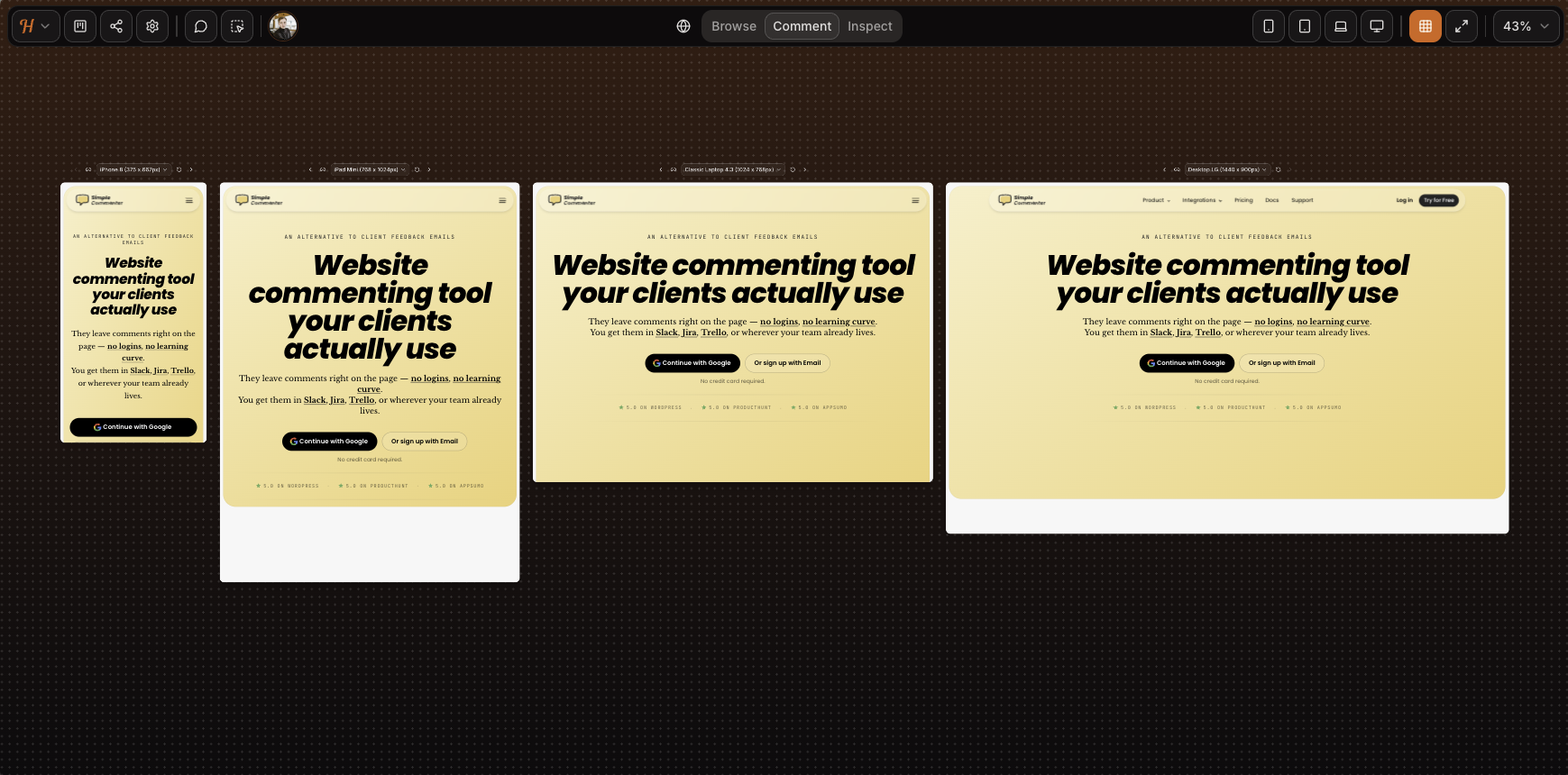
The canvas limits are the same as BugSmash's. Mobile is emulated, and the SVG animation on our homepage dropped out of the render above. Logged-in apps and our Basic Auth page didn't load.
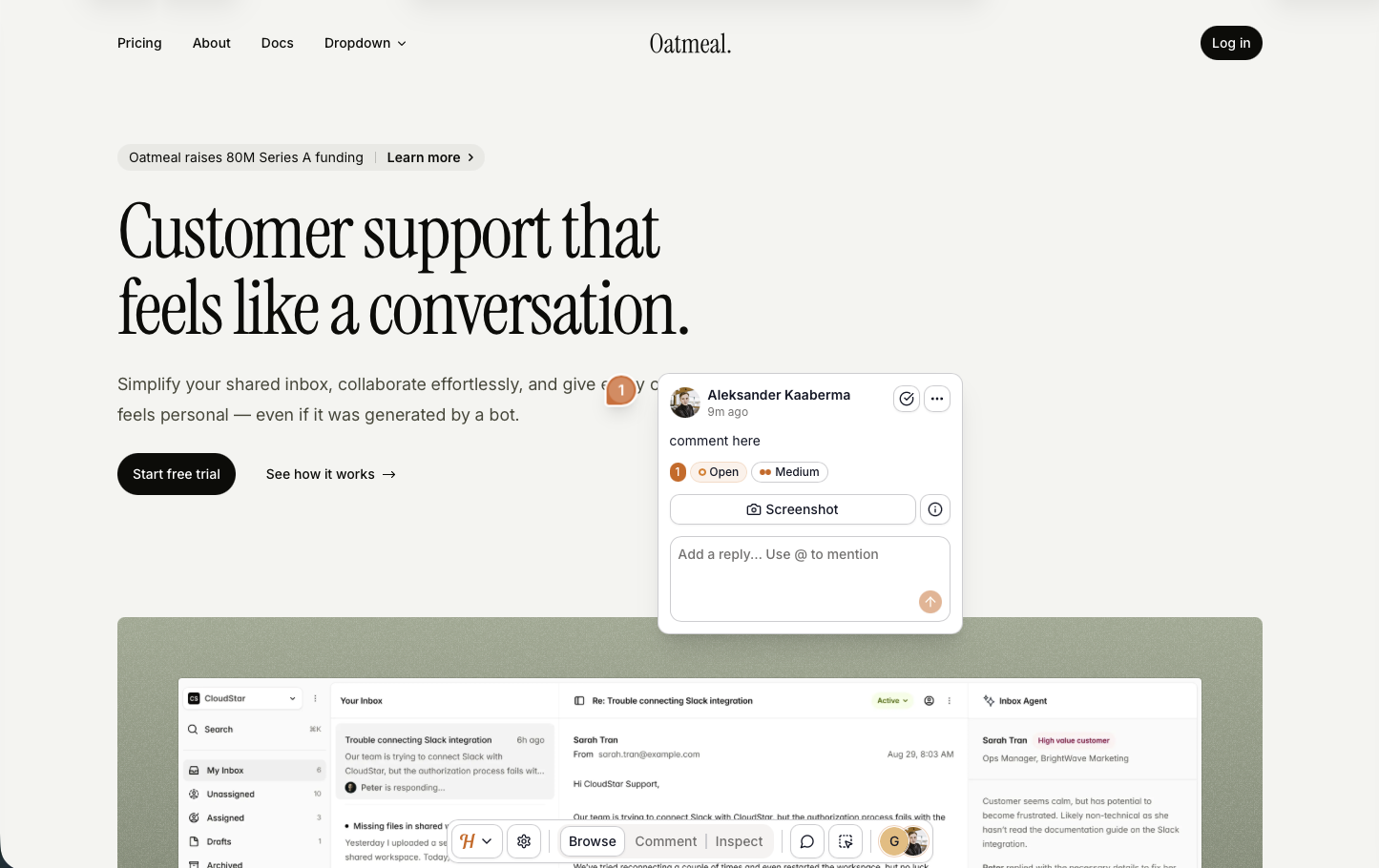
It also offers a beta script that runs on the live page. On our test pages it captured screenshots from the right spot, with rough edges left on dropdowns and drawers. BugSmash has no equivalent.
Commenting asks for a name and email, not a full account, so it's lighter than BugSmash's signup. The flip side is that anyone with the link reads all the feedback, and anyone who knows a team email can post as that member. Team, the top plan at 15 members, is the only one with integrations (Huddlekit pricing, as of 2026-10-29), and there is no white-label.
Key features:
- Canvas plus a beta script install
- Four device sizes at once
- Comments on images, PDFs and video
- Automatic screenshots
- Paid plans add kanban, pausing, private comments and inspect
Pricing:
- Free, 3 team members, 1 project, 100 MB of storage
- Pro $19/month or $190/year, 3 members, unlimited projects, 5 GB storage
- Team $39/month or $390/year, 15 members, 50 GB, integrations
- Two months free on yearly plans
Pros:
- Name and email instead of a full signup
- Four sizes at once
- A beta script for live pages
- Smooth, low-bug setup
- A usable free tier
Cons:
- Basic Auth and logged-in apps won't load in the canvas
- Mobile is emulated
- Everyone with the link reads the feedback
- No anonymous commenting
- Integrations only on Team
- No white-label
- No G2, Capterra or Product Hunt reviews yet
Reviews:
Huddlekit shows a 5/5 rating on its own site, with no G2, Capterra or Product Hunt reviews to check it against. Its testimonials describe what we saw, a clean canvas, steady updates and a fair alternative to Markup.io, Pastel and Ruttl for asset review on simple sites. It shares BugSmash's newness, so subscriber reviews will matter for both.
Markup.io#
Built for: Agencies · Freelancers
Best for: Larger teams leaving BugSmash's per-user plans for unlimited users, who review public sites and can get clients to install an extension.
MarkUp.io is the older name in hosted review. Where BugSmash caps users per plan and charges $5 for each extra one, every MarkUp.io plan includes unlimited users. Pro starts at $79 a month with one workspace, 50 MarkUps a month and 100 GB, and a 14-day free trial is now listed (MarkUp pricing, as of 2026-10-29). We paid for our account, so this is hands-on.
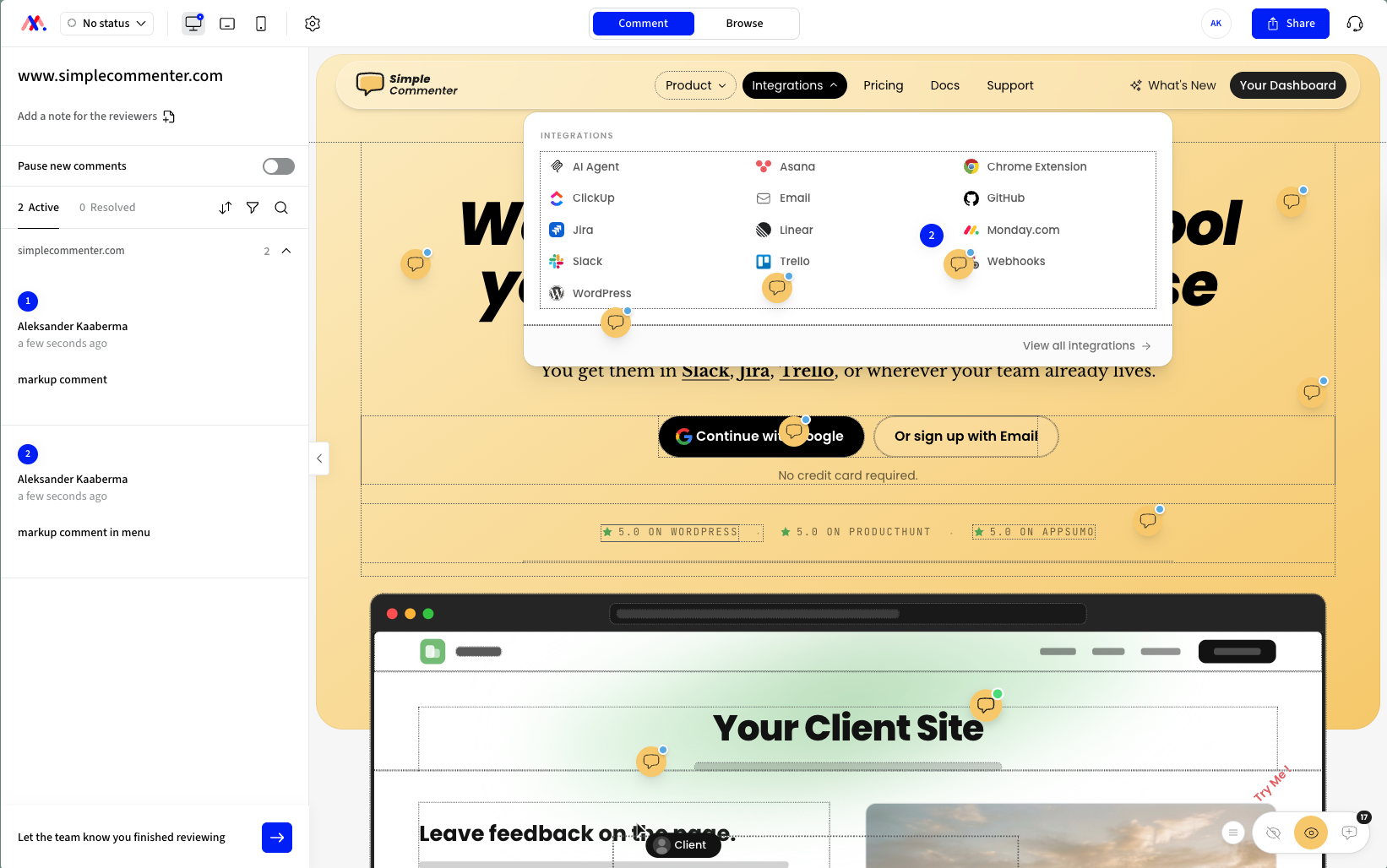
There are two ways to review. The proxy serves your site from a MarkUp address with no script needed, and sites behind Basic Auth fail there. The Chrome extension overlays the live page and is the better route, although it outlined every div under the cursor on our test. It's more capable than the Pastel and Volley extensions, which only start new projects.
Getting clients to install an extension is hard, and it runs on desktop Chrome only, so there's no phone route at all.
Screenshots came from the wrong part of the page in our test. At the time, the integrations were Zapier, Slack, Microsoft Teams and Loom, ClickUp was coming soon, and there was nothing direct for Jira, Linear, Asana or Trello, a thinner list than BugSmash Starter has today. The team shipped about six features in 2025.
Key features:
- Proxy review, or an extension on live pages
- Screenshot on each comment
- Unlimited users
- Folders and share links
- Loom recordings in comments
Pricing:
- Pro $79/month for unlimited users, 1 workspace, 50 MarkUps, 100 GB
- More MarkUps at $99 and $129, Business from $499/month
- 14-day free trial, no free plan
Pros:
- Unlimited users with no per-seat math
- The extension comments right on the live page
- Loom built in
Cons:
- Wrong-spot screenshots in our test
- Hover borders on every div
- The proxy can't get past Basic Auth
- Fewer integrations at test time than BugSmash Starter has now
- A basic dashboard
- A slow release pace
- A $79 entry price against BugSmash's $19 Starter
Reviews:
G2 reviews praise the ease of use, setup without a sales call and how fast clients pick it up, along with rich-text comments, share links and device views. Price is the most common complaint, then the lack of data export, Zapier without historical sync and slow loading in the proxy. Many reviews are from early 2023 and mention a free plan with unlimited users that no longer exists, which is why the newer ones read cooler.
Feedbucket#
Built for: Agencies · QA teams · SaaS teams · In-house product teams
Best for: BugSmash users ready to leave hosted snapshots for a widget on the live site, where clients comment with no account and feedback moves on to the tracker.
Feedbucket fixes BugSmash's two biggest gaps. Its script puts the widget on your real site, with one-click installers for WordPress and Shopify, and clients comment without signing up. Each comment gets a screenshot pinned where it was left.
Integrations reach most trackers, and Pro adds an MCP connector and API access. Feedbucket hands triage to those tools, so its own dashboard filters by tag and page, with no priority, ordering or board. Comments ask for a title by default, which you can turn off, and the WordPress plugin installs the script and nothing else.
Check file review before you switch. If PDFs, video or Figma frames make up a big part of your reviews, confirm Feedbucket covers them, because its focus is the website.
Pro is $49 a month for 2 team members and Business $89 for 25, all with unlimited projects (Feedbucket pricing, as of 2026-10-29).
Key features:
- Script install, one-click on WordPress and Shopify
- Screenshot pinned to each comment's spot
- Screenshot and video feedback
- Integrations, MCP connector and API from Pro
- Clients comment from a link with no signup
Pricing:
- Pro $49/month, 2 team members, unlimited projects
- Business $89/month, 25 team members, console logs, JavaScript API, branding
- Enterprise priced individually
- 20% yearly discount, 14-day trial with no card
Pros:
- Comments on the live site instead of a snapshot
- No account for clients
- Reliable screenshots
- Wide tracker coverage plus an MCP connector
- Developed in the EU
Cons:
- A thin dashboard by design
- A required title field by default
- An installer-only WordPress plugin
- Branding customization only on Business
- Pro's $49 buys 2 users, where BugSmash Team at $49 billed yearly includes 10
Reviews:
Reviewers are positive and consistent with our test. They praise the no-signup flow and the stability, and Jira, Trello or Asana teams call it the bridge to their tracker. The complaints are minor, mainly the light dashboard and limited customization on the lower plans.
Ruttl#
Built for: Freelancers (force-fit, see review)
Best for: Only the free hosted plan, for solo or small projects.
Ruttl's free hosted review overlaps with BugSmash. Signup is quick, and the free Basic plan covers up to 5 users on one project. Reviewers comment in Ruttl's hosted view, like Markup.io, Pastel and Volley.
The script that runs on your live site needs a paid plan and has no trial. You pay before you know whether it works.
Writer's warning... A short story about this section. Ruttl has no free trial of its script integration, so I paid for two seats at $18, which is $36 just to see whether the core feature works. For comparison, look at Simple Commenter's current plans for your team size and billing period.
Katelyn Dekle flagged the same issues in a post that mentions Ruttl. I found it only after paying...
My cancellation email got a request to schedule a meeting rather than a cancellation. EU Consumer Rights Directive 2011/83/EU, anyone?
Billing is on Stripe, but there's no customer portal to cancel on your own. Bad practice, and it looks intentional.
I'm a competitor and only meant to test. The cancellation hassle is what made me ask for a refund under the 14-day EU withdrawal right. Ruttl said no at first and refunded only after a long exchange.
Paid, tested, and the main feature failed. Know that before you sign up.

Key features:
- Free hosted review with no install
Pricing:
- Free Basic, up to 5 users, 1 project, 5 pages, Trello, Slack, Asana and Jira
- Pro $18 per user a month, two seats in practice, so $36 at minimum
- Email-only cancellation, no Stripe portal
Pros:
- Fast signup and a free hosted flow
Cons:
- The script can't be tested without paying
- Paid features broke in our test, with screenshot errors and every ticket bouncing
- $18 a seat is high next to BugSmash Starter
- Cancellation by email despite Stripe billing
- Public reports of charges after cancelling and of locked accounts
Reviews:
Recent reviews report slower support and more bugs. Guests still like commenting without signing up, and small teams like the built-in kanban. Weigh that against the broken paid flow, the seat minimum and other customers' stories, and Ruttl is the one tool here I won't recommend.
Which one should you pick?#
If you want a tool in BugSmash's lane with more history behind it, Simple Commenter is the live-site pick (script, Chrome extension or WordPress) and Pastel the canvas pick. For the four-screen view, Huddlekit is the polished canvas option, with the same newness caveat as BugSmash. MarkUp.io has the largest install base among canvas tools and suits teams that want subscriber reviews to lean on, at a $79 floor. Feedbucket is the move if you're done with canvases and want the widget on the live site. Ruttl is listed only because the category invites the comparison.
Found this useful? Add us as a preferred source and Google will show you more of our guides in Search and AI Overviews.