6 Best Feedbucket Alternatives in 2026
Feedbucket nails the no-signup script flow, but the dashboard is thin and the WordPress plugin is a script installer only. Six alternatives worth shortlisting.

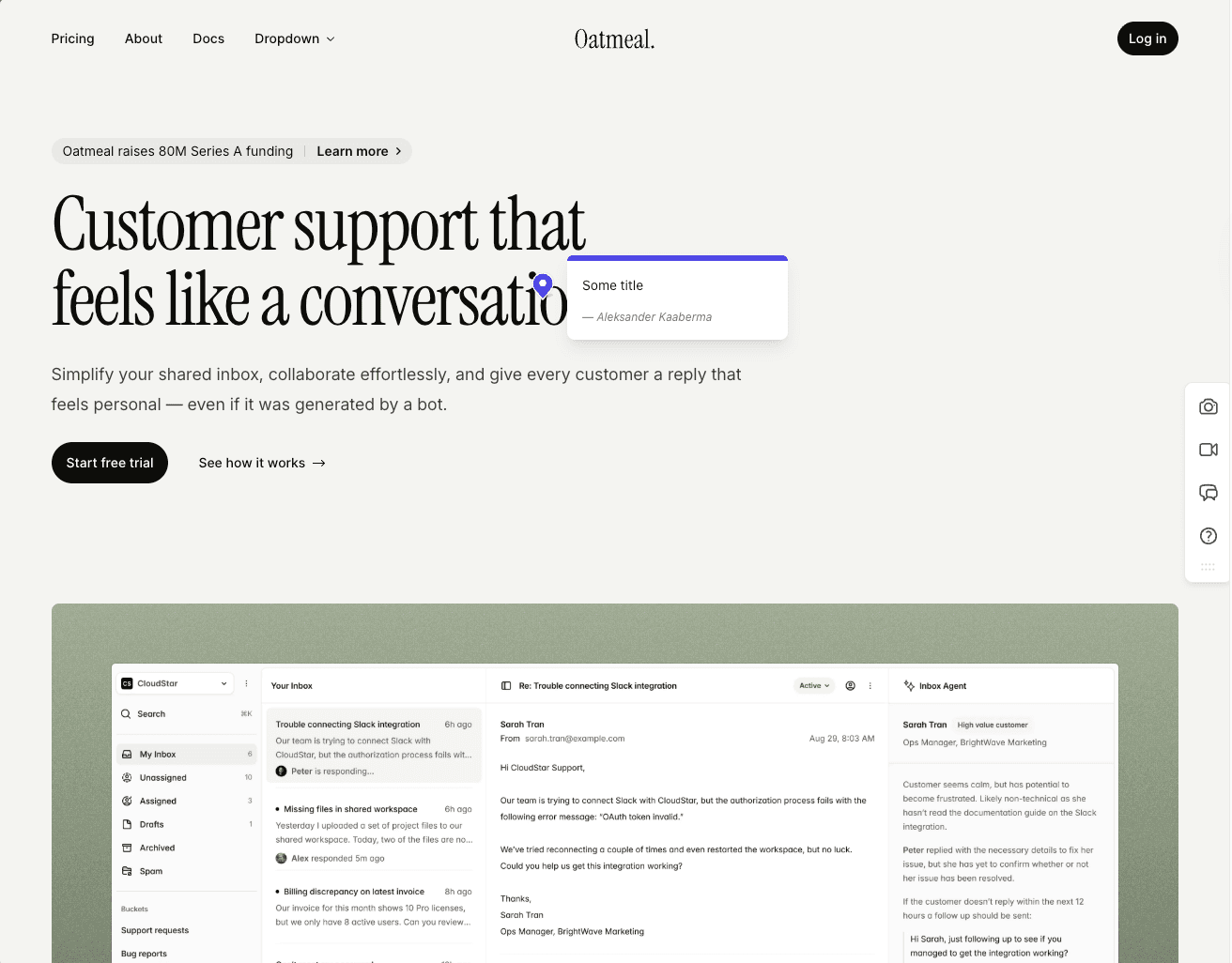
Everything here about how the tools behave comes from our own hands-on tests earlier this year. On 29 October 2026 we refreshed prices and plan limits from each vendor's pricing page, but we did not retest the products.
The best Feedbucket alternatives are BugHerd if you want a kanban board built in, Userback for deep triage and session replay, and Marker.io for developer-grade bug reports. Volley is the low-cost single plan, and Ybug the EU-hosted pick for internal QA.
Feedbucket is one of the most reliable no-signup widgets in this category, and for teams that already work in Jira, Trello, Asana or ClickUp it does the job well. Whatever you move to should keep what it gets right.
- It rarely breaks. Reviewers bring up its stability again and again, and that bar is higher than you'd expect in this category.
- It runs on the real site. A script tag puts the widget on the page your reviewers already use, with no extension, proxy or canvas.
- Screenshots land in the right place. Each comment captures one, tied to the element where the pin went.
- It feeds your tracker. Slack, Trello, Asana, Jira, ClickUp, Linear and Monday are covered, and Pro now adds an MCP connector for AI agents.
- It's built in the EU. That helps when a compliance officer starts asking about GDPR.
Three things send teams looking anyway.
- The dashboard is thin. You filter by tag and page, with no priority, ordering or board view, because triage is meant to happen in your tracker.
- The WordPress plugin only installs the script. Comments, members, replies and settings can't be managed inside WP admin, which you feel every day if your team lives there.
- Pro got smaller. Pro is now $49 a month for 2 team members, where our earlier version of this page listed $39 for 5 (Feedbucket pricing, as of 2026-10-29).
If one of those is your reason, start with these six.
Simple Commenter#
Built for: Agencies · Freelancers · QA teams · SaaS teams
Best for: Feedbucket users who want the same no-signup script model with triage inside the tool, a WordPress admin that manages feedback, and three seats on the entry plan.
Full disclosure, Simple Commenter is ours. It is also the closest match to Feedbucket's shape on this list, so here is a straight comparison.
For clients, little changes. Both tools put a script on the real site, neither asks clients to sign up, and both attach a screenshot and browser details where the comment was pinned. Simple Commenter doesn't ask for a title, so a client types the note and posts.
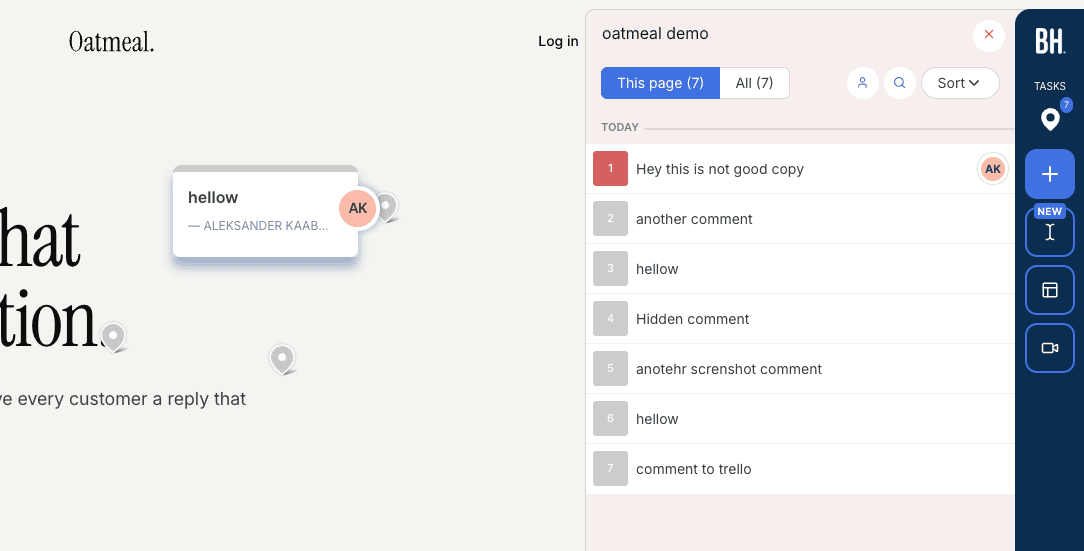
Triage can stay in the tool. Comments carry a status and a priority, your team works them in a dashboard with a board view, and open comments show on the page itself, so the next reviewer sees what's already been flagged. The drawer below lists three comments with their status, priority and filters.
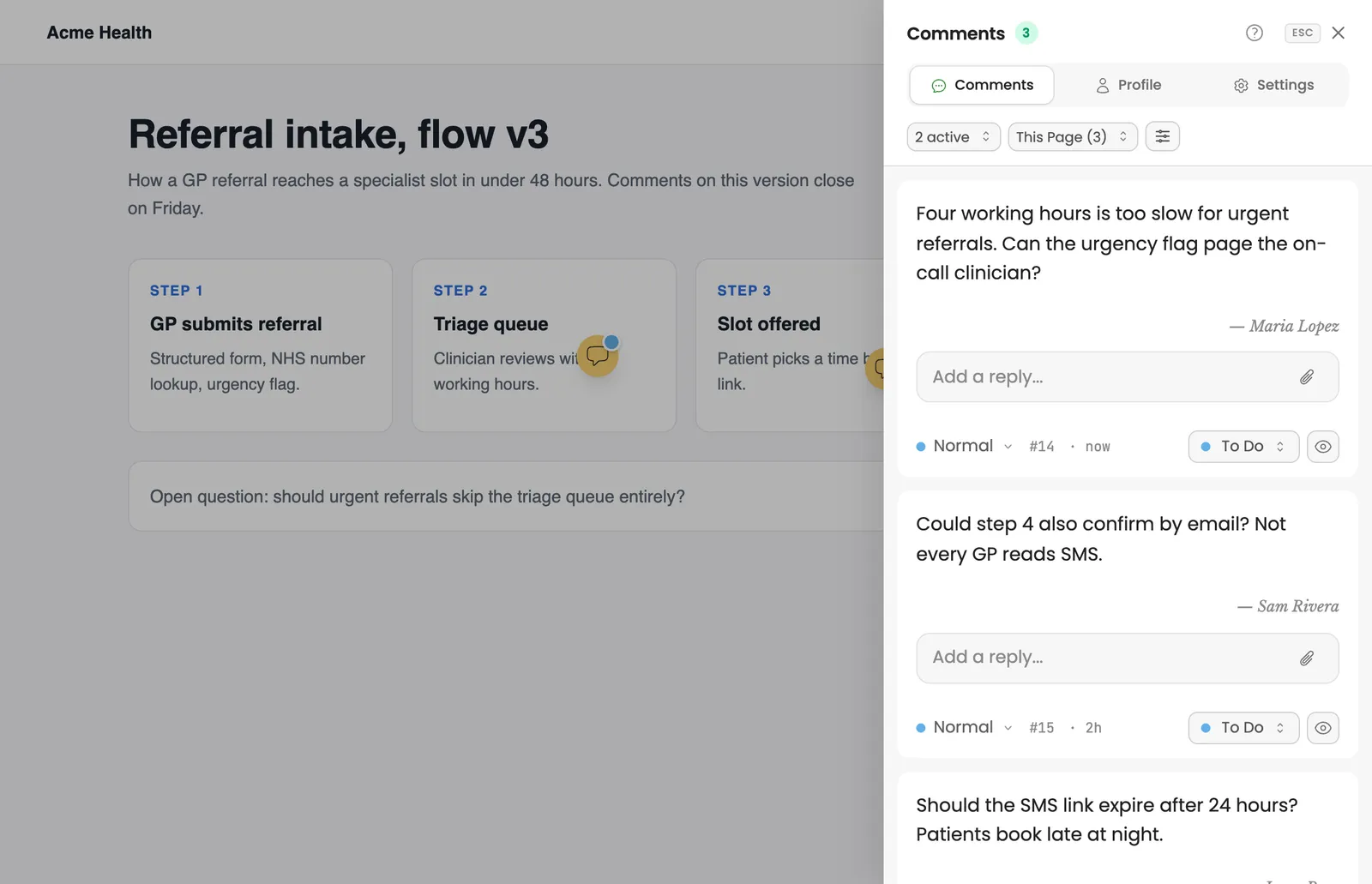
WordPress is where the gap is widest. The WordPress plugin adds feedback, setup, access, people and account pages inside WP admin, so your team reads, answers and manages comments without leaving WordPress. The WordPress install guide covers setup.
The entry plan costs less and seats more. Pro is $34.99 a month (€29.99) for 3 team members, against Feedbucket Pro at $49 for 2. Clients are unlimited on both, and they can stay anonymous or be invited by name depending on the reviewer access mode you pick.
Feedbucket is ahead in three places. It includes unlimited projects on every plan, where Pro here stops at 10 active projects (archived ones don't count, and Agency has no limit). It records video feedback on every plan. And its MCP connector means AI agent access is no longer something only our native MCP server offers. Feedbucket also has a longer run of reviews praising its stability.
Key features:
- Script widget on the live page, with no client signup and no title field to fill in
- Statuses, priority and a board view for triage inside the dashboard
- Open comments visible on the page, so reviewers see what's already been reported
- WordPress plugin with a feedback inbox and member management in WP admin
- Reviewer access options per project, from anonymous to invite-only
- Integrations with Asana, ClickUp, GitHub, Jira, Linear, Monday.com, Slack, Trello, email and webhooks
- AI agents read, sort and reply to comments through the MCP integration
- Comments in any language, translated by AI
- PDF and image review
Pricing:
- Pro $34.99/month (€29.99), 3 team members, 10 active projects
- Agency $79/month (€69), unlimited members and projects, white-label
- Extra Pro seat $9.99/month, clients always free
- 14-day trial with no card, 14-day money-back guarantee
- Prices in your currency on the current plans page
Pros:
- One more team member than Feedbucket Pro, for less money
- Triage with statuses and a board inside the tool
- Reviewers see existing comments on the page
- Full feedback management inside WordPress admin
- No title field for clients
Cons:
- Pro caps active projects at 10, where Feedbucket has no project limit
- Feedbucket's MCP connector closes what used to be our lead on AI agents
- Newer than BugHerd or Marker.io, with an integration list that is still growing
Reviews:
Several Product Hunt and AppSumo reviews come from people who run client sites on WordPress. One AppSumo reviewer who hosts clients on WordPress shows the widget only to admins and editors through a code snippet and toggles it on and off. Chris Carp's team uses it with clients and internally across builds, and Anastasiia Varezhnikova wrote that she planned to send feedback to her task manager through webhooks. Others arrived from Markup after its price change, and one reviewer named it and Pastel as the only affordable options she found.
BugHerd#
Built for: QA teams · In-house product teams
Best for: Feedbucket users who want the kanban board Feedbucket leaves out, with screenshots and two-way tracker sync, and who are fine with reviewers logging in.
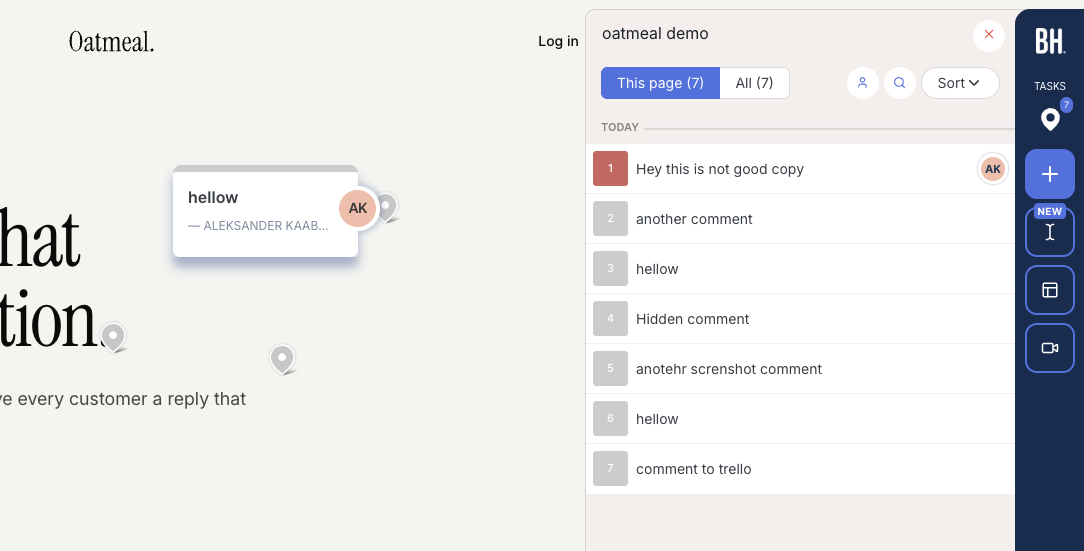
BugHerd gives you the board Feedbucket lacks. It installs by script, Chrome extension or WordPress plugin, and onboarding doesn't make you set access rules first. Open a project from the app and you're signed in to the widget automatically.
Each comment comes with a screenshot plus browser, screen size and OS, and lands on a kanban board as a task you can assign. Jira, Asana, Linear, ClickUp and Monday connect from Premium, with two-way sync.
The big difference from Feedbucket is what a client goes through. BugHerd's support article on client feedback says a client can follow a share link without logging in, but the first comment asks for a name and email, creates a guest account and triggers a welcome email. Clients see each other's feedback only on Premium and above. If Feedbucket's no-signup flow is why your clients engage, test that step first. The widget is also clearly BugHerd-branded.
Prices start higher than Feedbucket's. Standard is $50 a month for 5 members, Studio $80 for 10 and Premium $150 for 25, with extra members at $8 each. Video feedback is now on every plan, and the old Deluxe tier is gone (BugHerd pricing, as of 2026-10-29).
Key features:
- Screenshot and technical details on each comment
- Kanban task board with assignment
- Two-way sync with Jira, Asana, Linear, ClickUp and Monday from Premium
- Script, Chrome extension or WordPress plugin install
Pricing:
- Standard $50/month, 5 members, 10 GB
- Studio $80/month, 10 members, 25 GB
- Premium $150/month, 25 members, 50 GB, custom branding, premium integrations
- Custom plan with unlimited storage on request
- Extra members $8 a month each, 60-day money-back guarantee
Pros:
- A real task board, which Feedbucket doesn't have
- Screenshots captured even with dropdowns open
- Two-way sync with the major trackers
- Quick to get started
Cons:
- A client's first comment creates a guest account and sends a welcome email
- A branded widget until Premium
- Per-member pricing climbs fast
- The main tracker integrations wait for Premium at $150
Reviews:
BugHerd has 179 G2 reviews averaging 4.7 out of 5. Reviewers like how easy it is, the screenshots and technical details on every comment, and the task board with assignments. The common complaint is per-seat pricing as teams grow, and some say clients need a little guidance the first time. Screenshots are where BugHerd shines. Browsers can't capture them natively, yet a comment left inside an open dropdown still shows the dropdown open.
Userback#
Built for: In-house product teams · QA teams · SaaS teams
Best for: Feedbucket users who find the dashboard too thin and want the deepest triage here, with session replay, for internal QA or visitor feedback rather than client rounds.
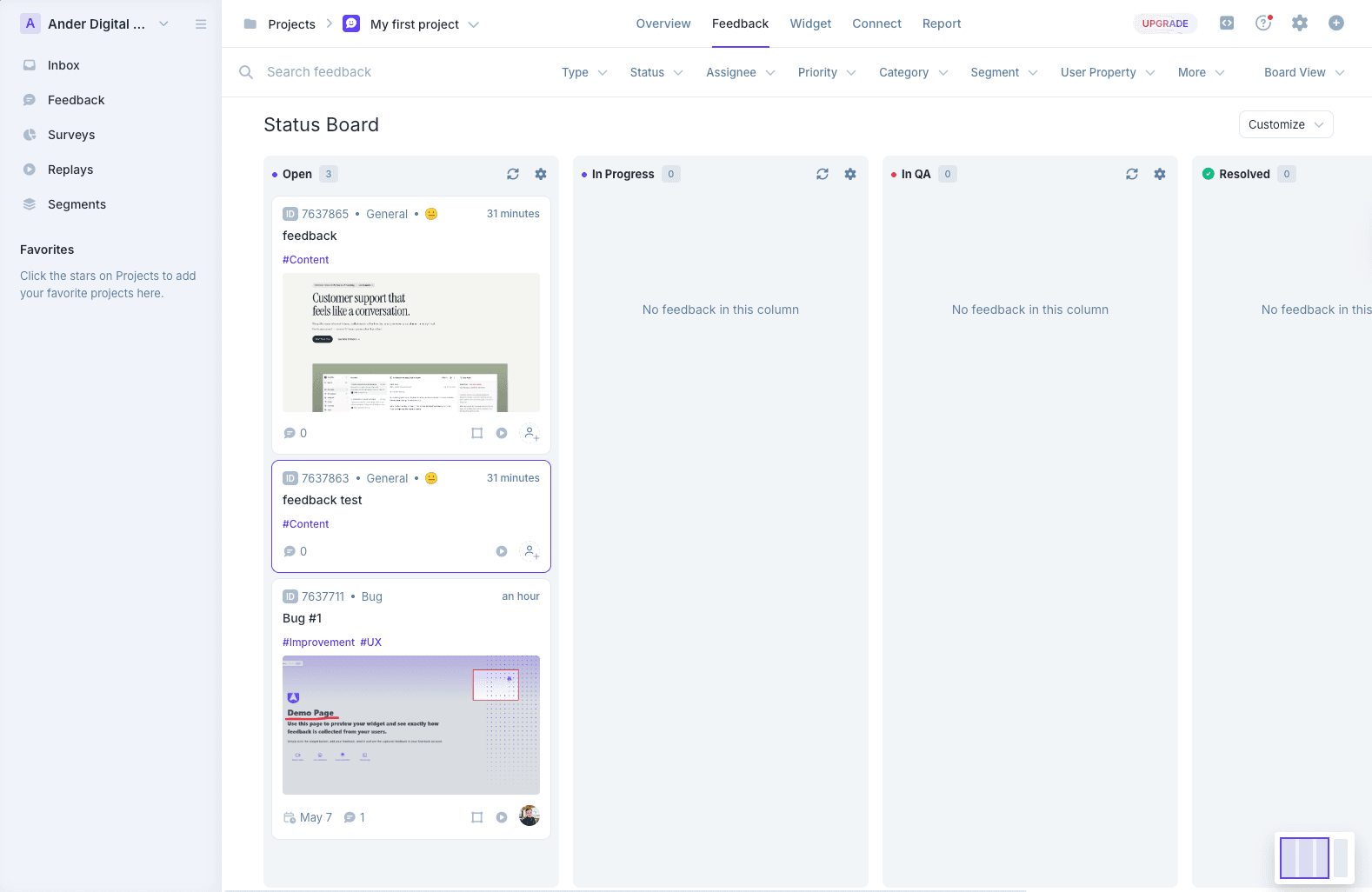
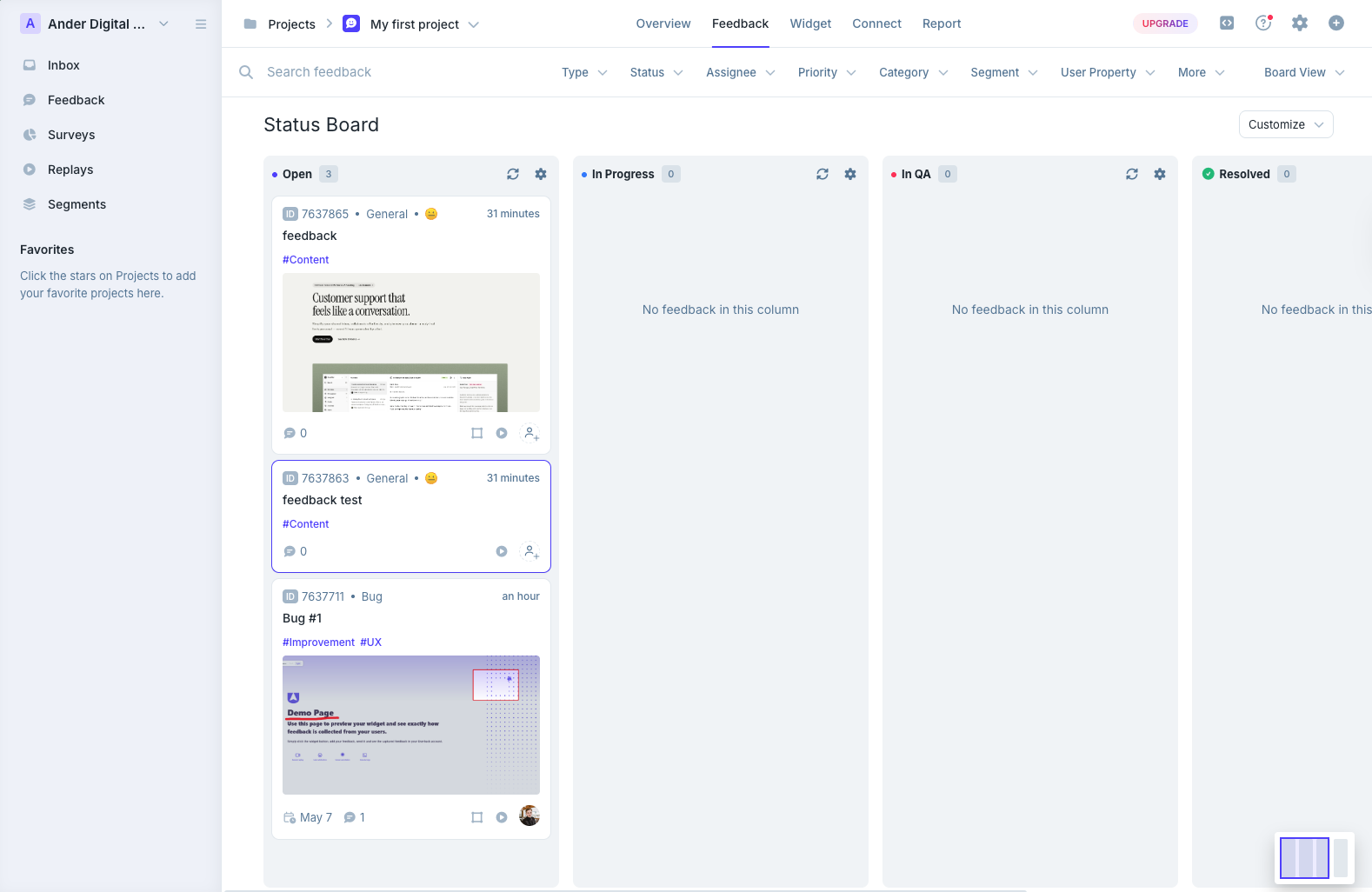
Userback is the opposite of Feedbucket's light dashboard. Like Marker.io and BugHerd it sits between your site and your tracker, but it brings kanban boards, an email-style inbox, a project overview and session replays of its own.
That depth pays off once a team settles in, with a long integration list and more triage views than most tools we tested. On day one it's a lot to take in.
Screenshots are weaker than Feedbucket's. In our test not every comment got one, the ones captured had no marker for the comment's spot, and pinning required attaching a screenshot in the same step. Feedbucket ties pin and screenshot together by default. Userback also hides existing comments on the page, so several staging reviewers end up reporting the same bug.
It suits live sites gathering general visitor feedback and larger companies running internal QA. For agency client rounds it's heavy, and its WordPress plugin is an installer, just like Feedbucket's. Don't confuse it with Usersnap, which is a separate product.
Key features:
- Board and inbox views for working through feedback
- Many project tool integrations, plus Zapier
- Replays, surveys and behavioral targeting on Business and up
- AI insights on Business and up
- Mobile SDK and REST API on Business Plus
Pricing:
- Free Forever with 2 sites, up to 2 seats, 7-day feedback history
- Team $49 monthly or $39/month yearly, 5 seats, 5 sites
- Business $119 monthly or $89/month yearly, 15 seats, 25 sites
- Business Plus $199 monthly or $159/month yearly, 25 seats, 50 sites, REST API, webhooks
- Enterprise for SSO, terms on Userback pricing (checked November 2, 2026)
Pros:
- Much richer triage than Feedbucket
- Session replay and surveys built in
- A long integration list
- A free tier to start on
Cons:
- Screenshots missing on some comments, with no pin marker
- No on-page view of existing comments
- Too heavy for quick client reviews
- REST API only on the top Business Plus plan
- The WordPress plugin installs the script only
- Often mixed up with Usersnap
Reviews:
Public reviews average about 4.8 for ease of use and 4.9 for customer service. QA teams like how fast they can check signup flows and components before launch, and setup and routing get repeated praise. The criticism is about price and fit. Older reviews complain about seat pricing that the current Business plans have since replaced, the REST API sits on the top tier, and some reviewers found that a simpler tool suited their day-to-day better.
Marker.io#
Built for: SaaS teams · In-house product teams · QA teams
Best for: Product teams using Feedbucket for internal QA who want richer developer data on every report, such as console logs, network requests and replay.
Marker.io takes Feedbucket's tracker-first idea further. It installs by script, Chrome extension, npm package or a CMS plugin for WordPress, Drupal, Webflow, Shopify and others. Onboarding asks about your integrations first, which tells you its role. It's a bridge between site and tracker, not a replacement for either.
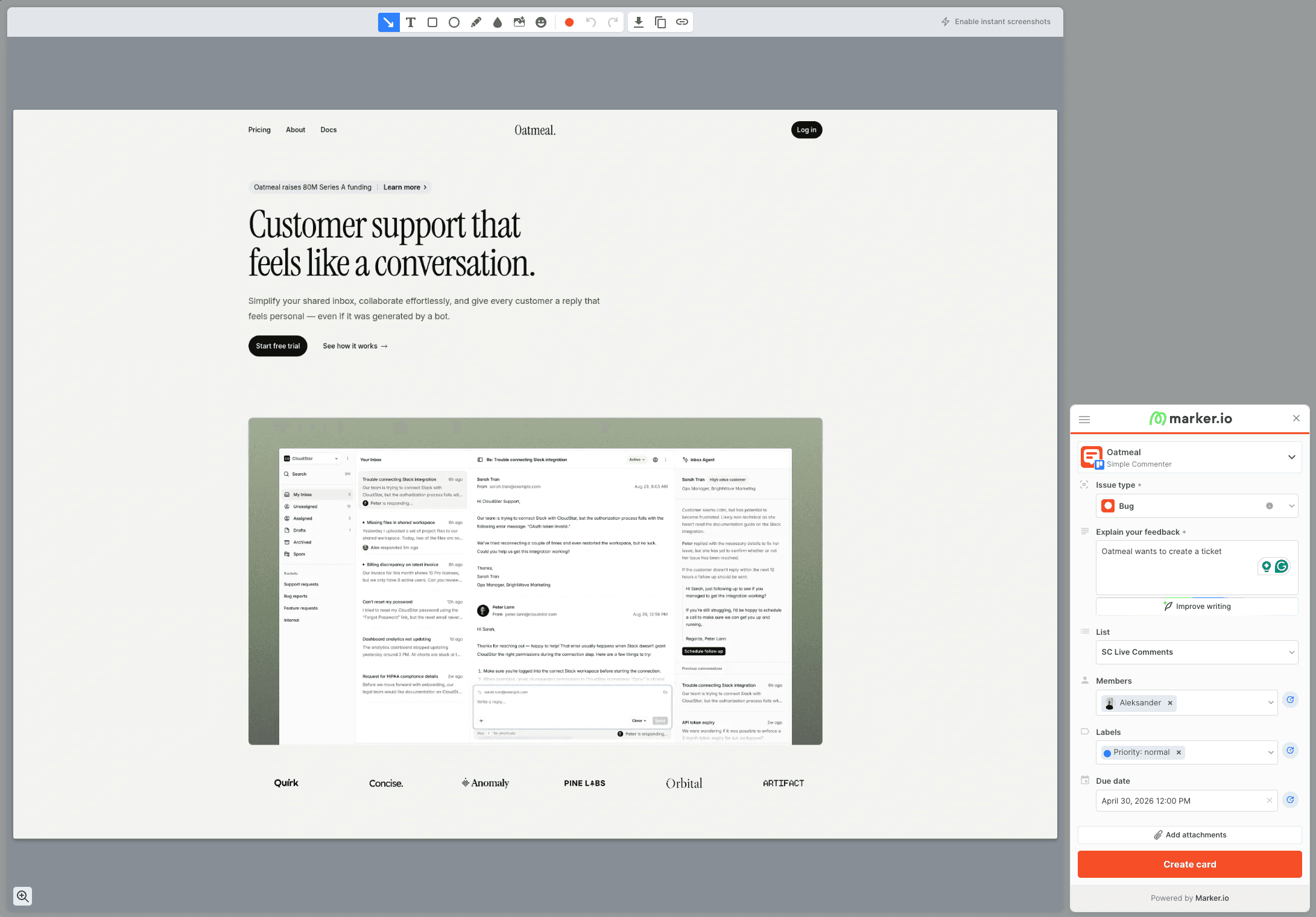
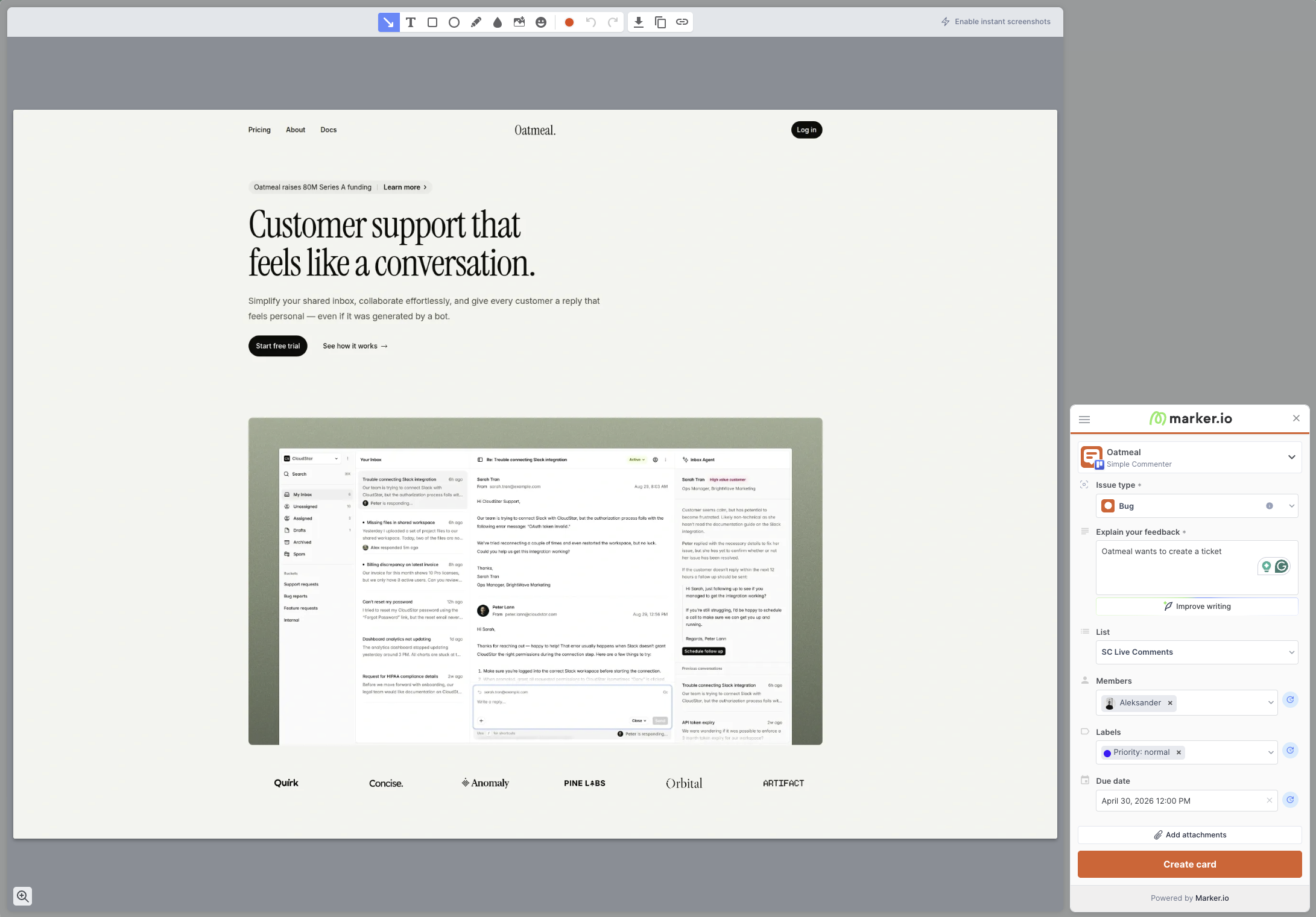
Feedback becomes a ticket, not a pin. A reviewer opens the widget, captures the screen, fills in a ticket form, and it lands in Jira, Linear, Asana or whatever you connected. There are no comments anchored on the page and no threads there.
The value is in what's attached. On eligible plans, reports capture console logs, network requests and browser details, so a vague report that a page is broken arrives with the failed request and the JavaScript error. It's built for large brands with one dev team supporting many sites, and its case studies feature L'Oréal.
Reviewer roles vary. Marker.io's role documentation lets reporters file without an account through an open widget and follow up on their own reports, while dashboard access and seeing other people's reports depend on guest or team permissions. Agencies can apply for a dedicated Agency plan.
Compared with Feedbucket, you lose on-page visibility of existing tickets, so duplicates are common. Theming stops at button and widget color, and there is no feedback on images, PDFs or other files.
Key features:
- Screenshots and environment details, with console logs, network requests and replay on eligible plans
- Two-way sync with Jira, Linear, Asana, Trello, ClickUp, Monday and others
- Script, Chrome extension, npm and CMS plugin installs
- SSO SAML, audit logs, data masking and SOC 2 Type 2
Pricing:
- Starter $59 monthly or $39/month yearly, 3 users, up to 10 projects
- Team $199 monthly or $149/month yearly, 15 users, 50 projects, sync, replay
- Business with custom pricing and allowances
- Agency for eligible agencies, $129 monthly or $99/month yearly, 15 members, 50 projects
- 15-day trial without a card
Prices from Marker.io pricing, checked October 8, 2026. Confirm the plan, the billing period and reviewer permissions before you compare costs.
Pros:
- Developer context that makes bugs reproducible
- Onboarding built around your existing tracker
- Plugins for most major CMSs
- Good screenshot annotation
- Enterprise security features
Cons:
- Reporters without an account can't use the shared dashboard or see others' reports
- No pins on the page, so every report is a ticket rather than a conversation
- Existing tickets aren't visible on the page, so duplicates happen
- Web pages only, no files
- Branding limited to button and widget color
- Per-seat costs add up across clients unless you qualify for the Agency plan
Reviews:
Marker.io's case studies show who it's for. L'Oréal credits it with easier feedback across hundreds of sites, the many-markets setup it targets. G2 reviewers praise the debugging data and how easily non-technical staff file bugs developers can act on. Smaller teams and agencies call it overkill, and several reviews mention not seeing existing issues on the page, which leads to repeat reports. For three people testing a landing page that's friction, while for a brand with hundreds of sites it pays off.
Volley#
Built for: Freelancers (force-fit, see review)
Best for: Teams leaving Feedbucket mainly on price, who collect visitor feedback on a public site and can live with comments readable only in the dashboard.
Volley is the budget option, with trade-offs. Volley installs by script or Chrome extension. The script was easy, but we couldn't get the extension working, and reviews describe a buggy setup that settles down afterwards.
Comments are created on the page but read in the dashboard. A reviewer can pin a note with a screenshot, but to read replies or see what others reported, they open the dashboard. Without on-page visibility, the second reviewer who spots a broken button files it again.
It feels like a bug reporter for internal teams with client-feedback branding, closer to Marker.io but without Marker.io's integration depth or debugging data. When we tested, the integrations were ClickUp, Jira, Trello and Slack.
Pricing is the strong part. Volley Pro is $29 a month for unlimited users, with a 30-day free trial and a free Basic plan that needs no card (Volley pricing, as of 2026-10-29). In our earlier test, the trial asked for a card despite its no-commitment wording.
Our extension test ended early, because it errored when we tried to create a project.

Key features:
- Script or Chrome extension install
- Screenshot with each comment
- Comments managed in a dashboard
- One flat plan
Pricing:
- Pro $29/month, unlimited users and workspaces
- Free Basic plan without a card, 30-day trial of Pro
- Enterprise on request, adding webhooks
Pros:
- One flat price with no seat math, cheaper than Feedbucket Pro
- Easy script install
- A screenshot on every comment
Cons:
- Comments readable only in the dashboard
- Duplicate reports without on-page visibility
- Four integrations
- The trial asked for a card in our test
- The extension failed when creating a project
- Little visible progress since its launch in 2020
Reviews:
Reviews are positive about the basics, an easy install and reliable screenshots. Most date from 2021, the first wave of adoption, and few are newer. Recent ones ask for filtering, sorting and basic triage in the dashboard. Add the short integration list and the dashboard-only comments, and Volley looks like a tool that found its early users and then slowed down.
Ybug#
Built for: QA teams · In-house product teams · SaaS teams
Best for: Internal QA teams who like Feedbucket's EU roots but want screenshot-to-ticket reports with EU hosting and a DPA on every plan, Free included.
Ybug shares Feedbucket's European base and goes further on compliance. Ybug is hosted in the EU with a GDPR-ready DPA on every plan. You install it by script or Chrome extension, report fields are set per project, and permissions are granular per project.
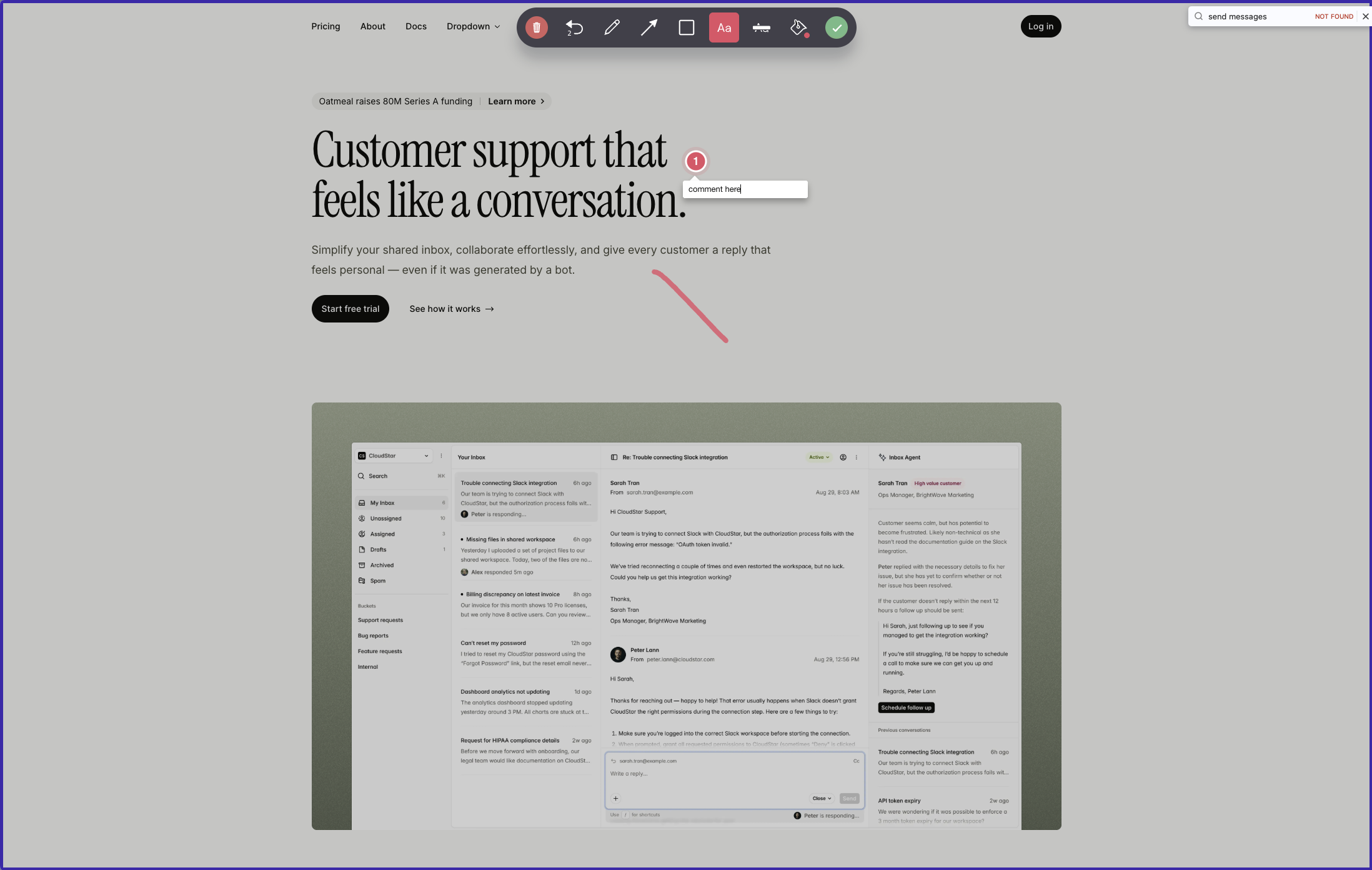
The interaction is different from Feedbucket's. A reviewer sends feedback on the whole page or captures a screenshot, then draws on that image and pins comments to it. The pins live on the screenshot, not on the live page, so nobody browsing later sees them.
Tickets carry annotated screenshots plus browser, OS and screen size, with console capture on paid plans and video, attachments and replies from Startup. The 25+ integrations push one way. Once a report reaches Jira or ClickUp, status changes there never come back, so you end up working in two places.
Everyone who wants to see reports needs a Ybug account, a contrast with Feedbucket's open guest flow. Tiers bundle seats and projects, so an eighth project takes you from Startup at €23 to Company at €47. Branding is on Company only, and white-label is still listed as coming soon.
Key features:
- Script or browser extension
- Full-page feedback or marked-up screenshots
- Custom report fields per project
- Project-level permissions
- Console logs and environment data on paid plans
- Video and attachments from Startup
- 25+ outbound integrations, Zapier and webhooks
- EU hosting with a DPA on all plans
Pricing:
- Free, 1 project, 1 member, 50 screenshots a month
- Basic €13 monthly or €10/month yearly, 3 projects, 3 members
- Startup €29 monthly or €23/month yearly, 7 projects, 7 members, all integrations
- Company €59 monthly or €47/month yearly, 15 projects, REST API, branding
- 10 days free, no card needed
Pros:
- EU hosting and a DPA, even on Free
- Rich debugging data on every report
- Fine-grained project permissions
- A wide range of integrations
- Fast support, according to reviews
Cons:
- Pins live on screenshots, not on the page
- Every viewer needs a Ybug account
- No sync back from your tracker
- Branding only on Company, white-label still pending
- Seats and projects rise together
Reviews:
G2 reviewers rate Ybug well for how easily non-technical people file useful bug reports, citing screenshots, environment data and console logs in QA and UAT work. Support often answers within a business day. The main complaint is the account requirement for seeing anything, which slows client-facing work. As a screenshot-to-ticket pipeline for an internal team, it earns its rating. As a visual conversation on the page, it isn't built for that.
Which one should you pick?#
If Feedbucket's thin dashboard is the problem, Userback gives you the deepest triage and BugHerd the classic kanban board, though BugHerd creates a guest account for each client. If you want the same no-signup script with triage inside the tool, more seats on Pro and real WordPress management, Simple Commenter is the closest match. Marker.io fits QA teams that want developer data on every report. Volley is the cheap single plan, and Ybug the EU-hosted choice when compliance comes first.
Found this useful? Add us as a preferred source and Google will show you more of our guides in Search and AI Overviews.